

3281 E. Guasti Rd, STE 700, Ontario, CA 91761
1712 9th Ave SW, Watertown, SD 57201
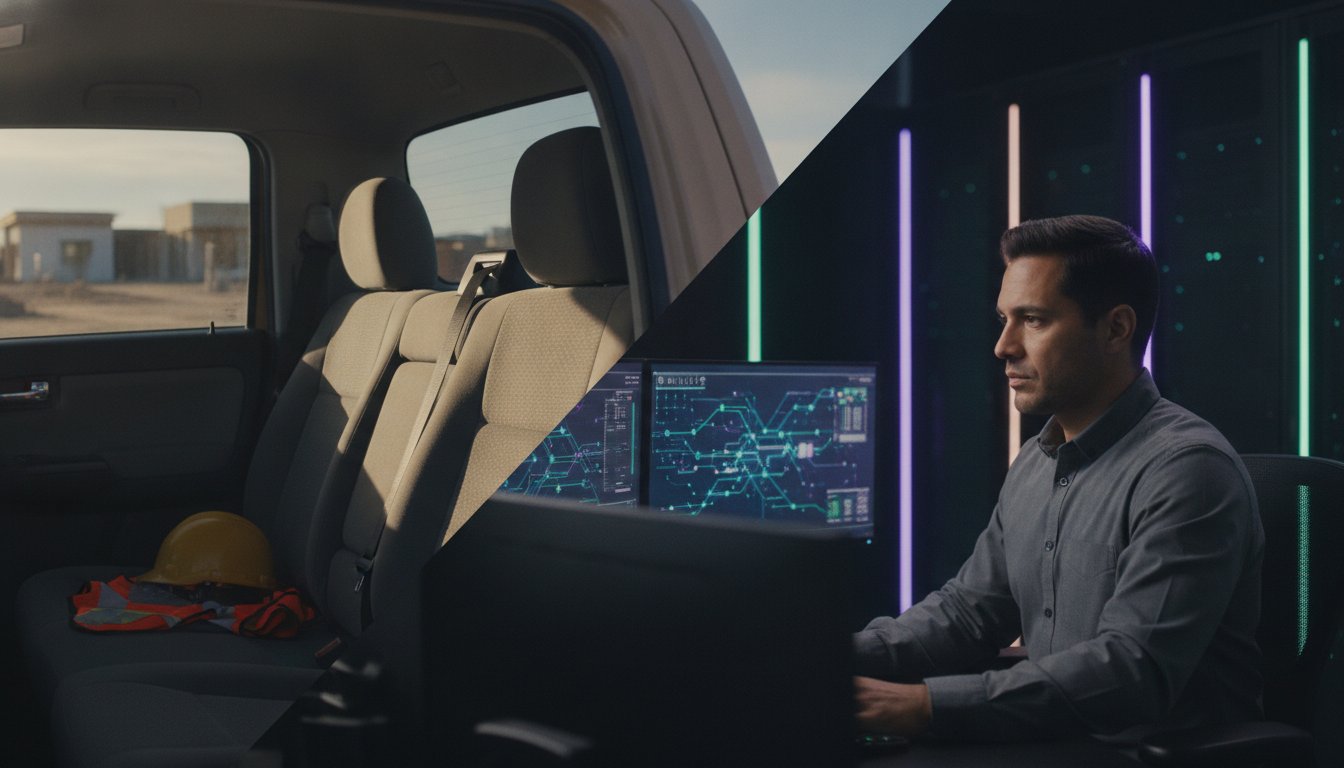
A project manager leaves a busy job site in Irvine, reaching for their bag only to find an empty passenger seat. The realization hits hard. That device contains sensitive bids and blueprints for your current build. Knowing how to handle a lost or stolen company laptop is the difference between a minor hardware loss and a catastrophic data breach. You've worked too hard on your reputation to let a single missing device compromise your network or expose proprietary project data to competitors.
We understand the gut-wrenching fear of unauthorized access to your company server. Follow this disciplined response plan to secure your construction data and prevent project downtime after a device disappears. We walk through the critical steps of immediate account revocation, rapid hardware replacement, and necessary actions to maintain compliance with industry standards like CMMC. This proactive approach keeps your team on schedule while your digital perimeter remains impenetrable.
• Learn why your first phone call must be to the Network Operations Center to initiate an immediate remote lock on the missing device.
• Discover the specific legal documentation required in jurisdictions like Ontario or Chino when learning how to handle a lost or stolen company laptop.
• Determine if your missing device triggers a CMMC compliance breach and how to verify if your full disk encryption held firm against attackers.
• Protect your future builds by implementing a security first networking strategy that uses mobile device management and physical job site safes.
Speed is your only ally. When a device disappears from a job site, every minute increases the risk of a breach. Knowing how to handle a lost or stolen company laptop prevents a hardware loss from becoming a permanent business failure. Your first call must be to the Network Operations Center (NOC). We initiate a remote lock or full data wipe before a thief can bypass the login screen. This is the foundation of data security in the field.
Documentation matters. File a formal police report in the local jurisdiction, such as Ontario or Chino, to record the theft. You'll need this paper trail for insurance claims and regulatory audits. Next, revoke all active sessions for project management software and office to field connectivity tools. Manually logging out of Procore or Microsoft 365 remotely stops unauthorized users from viewing sensitive bids or blueprints. Don't wait for the thief to make the first move. Proactive lockdown is the only way to maintain control over your intellectual property.
Coordinate with your job site foreman to identify exactly when and where the device was last seen. This narrow window helps local law enforcement review site cameras or gate logs. Distribute the serial number and hardware specifications to local police and area pawn shops immediately. While our cybersecurity and antivirus services provide digital protection, these physical steps are necessary to recover hardware. Act fast to isolate the threat and keep your project moving without delay. We handle the technical cleanup so you can stay focused on the build.
The hardware is gone. Now you must face the data. Determining how to handle a lost or stolen company laptop requires a cold look at what lived on that local drive. Are there active bids for federal projects? Did the device hold blueprints for a high security facility? For subcontractors, this isn't just about a missing machine. It's a potential CMMC compliance failure that could disqualify your firm from future contracts. Verify immediately that full disk encryption was active. If it was, the thief has a paperweight. If not, your entire network perimeter is at risk.
Downtime kills project margins. We don't just lock the device; we restore the user. Our team initiates rapid virtualization to rebuild the work environment in under 40 minutes. This ensures the project manager stays productive while the physical hardware is being replaced. Knowing how to handle a lost or stolen company laptop with this level of precision protects your entire firm from cascading delays. If you need a partner to manage these high stakes scenarios, get in touch with our team.
Technical closure requires more than just changing a password. We audit network access logs to confirm no unauthorized entry occurred during the gap between the theft and the remote wipe. This forensic check is a core part of our cybersecurity and antivirus services. A multi layered defense ensures that even if one gate is breached, the rest of the fortress remains secure. True stability comes from knowing exactly what happened after the device disappeared. We track every login attempt to provide total assurance.
Reactive measures save data, but prevention saves time. A solid policy ensures you don't spend every week wondering how to handle a lost or stolen company laptop. Implement a security first networking strategy that includes mobile device management (MDM) for every piece of field gear. We use this to push security updates and verify encryption status without the device ever leaving the site. When a machine goes missing, MDM makes the remote kill command instant and verifiable. Total control is the only acceptable standard.
Physical protection is just as critical as digital locks. Require the use of locking vehicle mounts for any laptop used in a truck on Southern California job sites. On the site, use heavy duty job site safes for storage during breaks or after hours. A laptop left on a dashboard is an invitation for theft. Combine these physical barriers with regular security awareness training. Your crew needs to understand that a lost device isn't just a hardware cost; it's a hole in the company's armor. We teach teams to recognize the unique risks found in the dirt and noise of a busy build.
Accountability starts with a clear hardware check out procedure. Every mobile workstation must be assigned to a specific user with a recorded serial number. This simple step ensures that if a device vanishes, we know exactly where it was last used and who was responsible. Our IT services for commercial construction focus on these proactive details to prevent loss before it happens. Don't wait for a theft to fix your policy. Build a culture of technical responsibility today. If you need help securing your fleet, contact our experts.
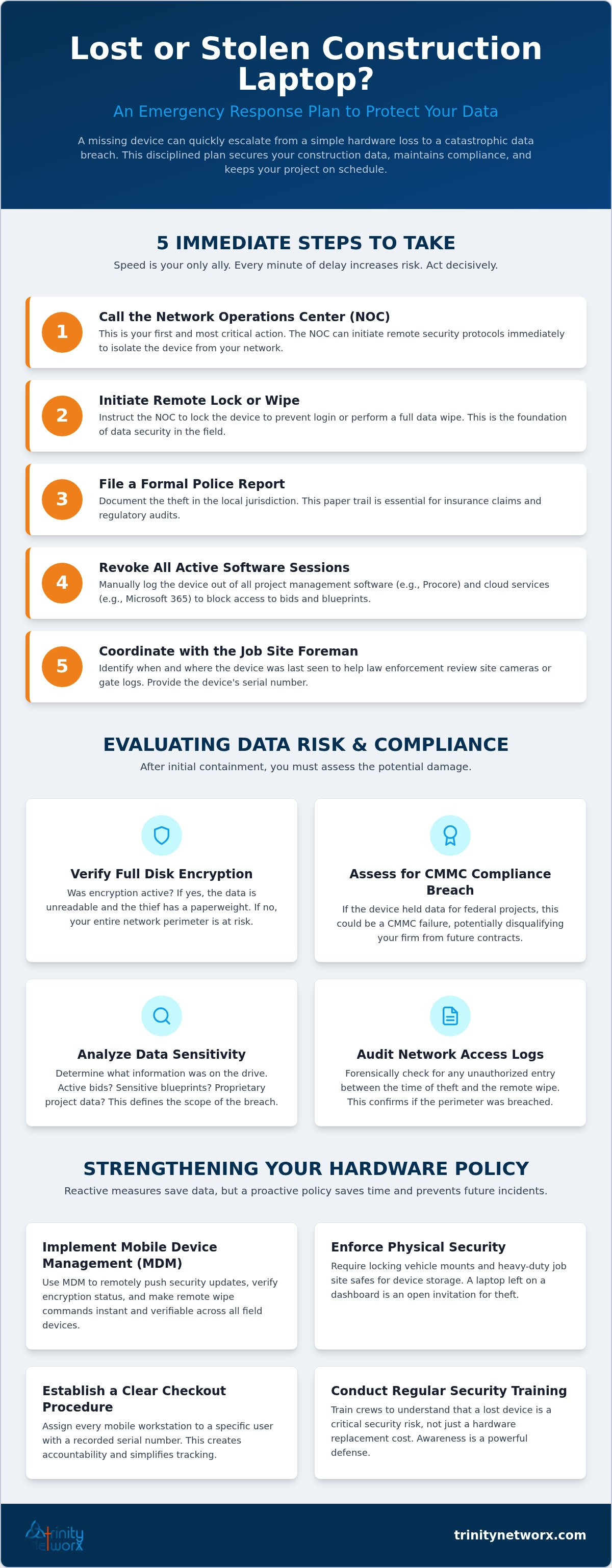
A missing device doesn't have to stall your project or expose your bids. You now have a clear plan for how to handle a lost or stolen company laptop by prioritizing immediate remote wipes and verifying disk encryption. Moving from reactive hardware replacement to rapid server virtualization keeps your team in the field without losing a single hour of productivity. True operational stability comes from a disciplined policy that combines digital locks with physical site security.
Our local Southern California experts provide the momentum you need to stay ahead of threats. We offer 24/7/365 proactive monitoring from our local NOC with a guaranteed response time under 20 minutes. Stop worrying about the "what ifs" and focus on your next milestone. Secure your construction technology by contacting Trinity Networx, LLC today. Your data stays protected while your business keeps growing.
Call your Network Operations Center (NOC) immediately to lock the device. Don't waste time searching the site office or checking the truck again. Every minute of delay gives a thief more time to bypass security and access project bids. The NOC initiates a remote lock to secure your digital perimeter. This is the most critical step in how to handle a lost or stolen company laptop.
Standard tracking requires an active Wi-Fi or cellular connection to report the device's location to your MDM software. While some modern hardware supports low-power Bluetooth mesh networks, most field gear is invisible while offline. This reality makes pre-queued remote wipe commands essential. As soon as the thief connects to a network, the command executes and wipes the drive before they can extract proprietary data.
Liability is determined by your specific internal hardware policy and local labor regulations. Most firms find that the cost of hardware replacement is minor compared to the financial impact of a data breach. Knowing how to handle a lost or stolen company laptop means focusing on data protection over hardware recovery. Establish clear check out procedures to maintain accountability and ensure every team member protects company assets.
Remote wiping uses a management agent installed on the laptop to listen for a specific kill command. When the stolen device hits any internet connection, the agent receives the signal and immediately erases the encryption keys or overwrites the storage. This process makes the local data completely unreadable. It's a fail-safe that ensures your blueprints and bids don't fall into the hands of competitors.

Article by
Lance Reichenberger, Ph.D.., J.D. (Candidate)
Dr. Lance Reichenberger is the founder of Trinity Networx, a Southern California technology firm specializing in managed IT services, cybersecurity, network infrastructure, and business technology strategy. With nearly four decades of experience in the IT industry, he works with businesses to improve operational efficiency, strengthen security, and align technology with long-term growth objectives.
Lance focuses on proactive IT management, enterprise wireless infrastructure, cybersecurity integration, and scalable technology solutions for growing organizations throughout Southern California.
The content published on this website is provided for general informational and educational purposes only. Articles may be created, edited, or enhanced with the assistance of artificial intelligence and automation tools under the direction and review of Trinity Networx. While every effort is made to ensure accuracy and relevance, the information provided should not be considered professional, legal, financial, cybersecurity, or technical advice specific to your organization. Businesses should consult directly with a qualified professional regarding their unique environment, compliance requirements, and operational needs. Trinity Networx makes no warranties regarding completeness, reliability, or applicability of the information contained within these articles.
Schedule a brief conversation with Trinity Networx to discuss your business technology needs.
Get a practical roadmap built around your business, your users, your systems, and the technology issues that need attention first.
Put the right technology, support, security, and infrastructure in place so your business can grow, adapt, and move forward with confidence.

