

3281 E. Guasti Rd, STE 700, Ontario, CA 91761
1712 9th Ave SW, Watertown, SD 57201
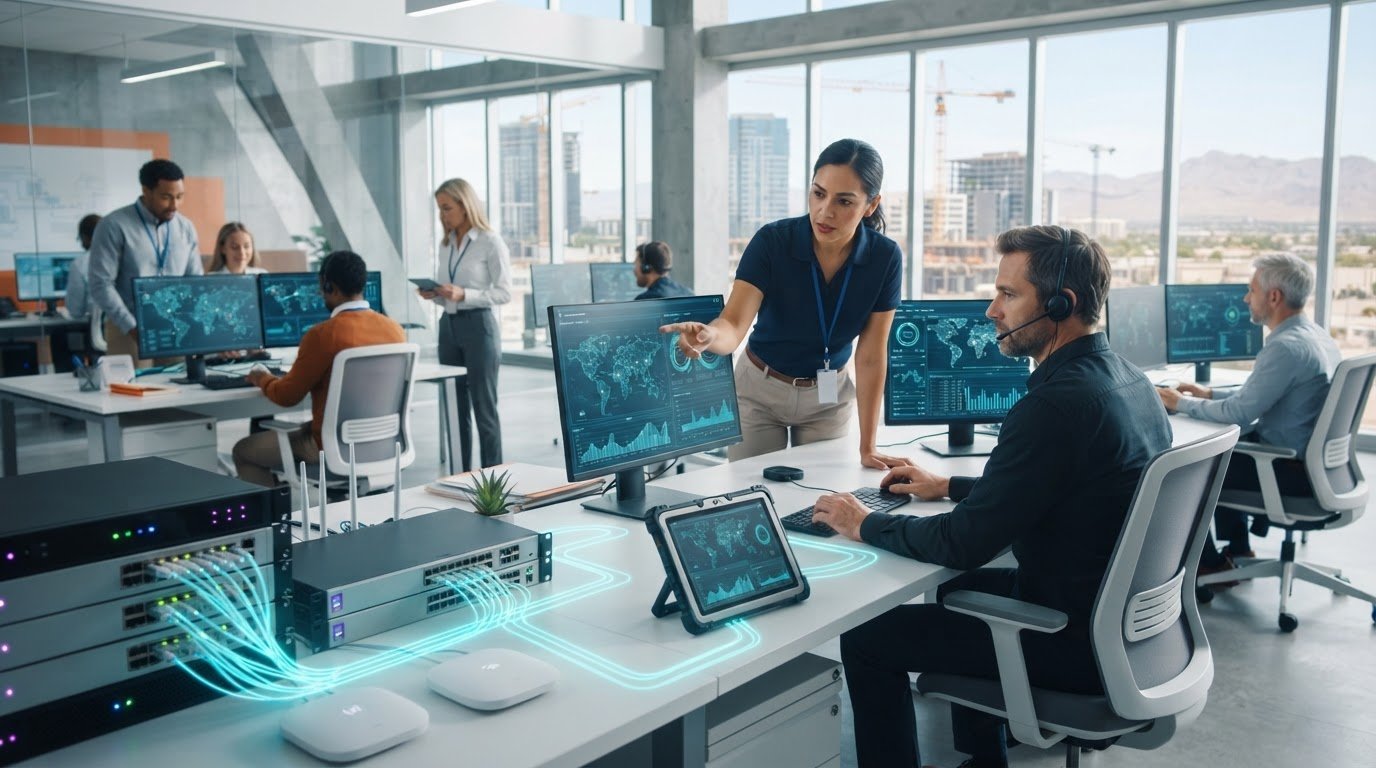
A ransomware attack can disrupt coordination between the office and an active jobsite by locking access to project files and business systems. If you’re asking how to protect my business from ransomware attacks, the answer isn’t a single security tool. Construction firms need safeguards that account for project data, field connectivity, and the systems teams rely on to keep work moving.
Crews need dependable access to current plans and schedules. If systems go down, office staff, project managers, and field teams can lose access to the same information. This guide covers practical ways to secure access, protect project files, and prepare backups and recovery steps. You’ll also learn how to respond when an incident appears and where construction-aware IT expertise can support your team. Prevention and recovery planning work best together.
• See how ransomware can block access to project files, business email, and the systems connecting office staff with field teams.
• Learn how to protect my business from ransomware attacks by reviewing account access, email safeguards, staff awareness, monitoring, and backups.
• Know what to do if ransomware is suspected, including how to limit further exposure and preserve useful observations.
• Explore how construction-aware IT support can help protect project data and plan for recovery. Contact Trinity Networx, LLC to discuss your technology risks.
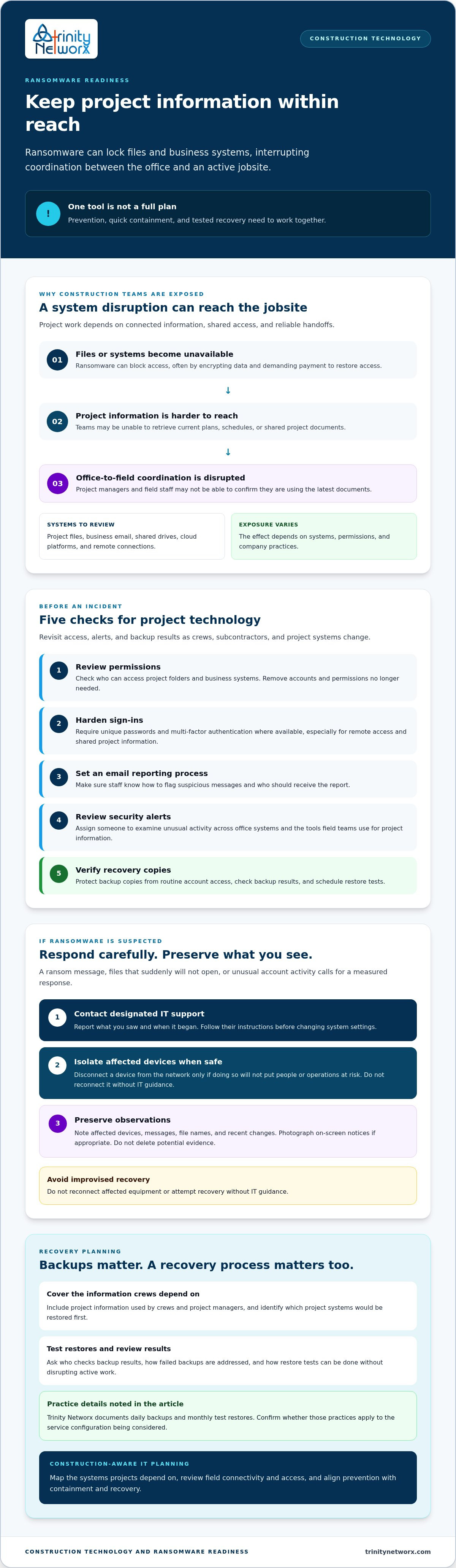
Ransomware is malicious software that blocks access to files or systems, often by encrypting data and demanding payment to restore access. The Ransomware overview explains common forms of this threat. For a construction firm, the impact can reach beyond an office computer: a project manager may be unable to retrieve current plans, while field staff can’t confirm they’re working from the latest documents.
Project documents, business email, shared drives, cloud platforms, and remote connections between the office and jobsite may all be part of a company’s exposure. An attacker who gains access to one account or device could disrupt connected work, depending on the firm’s systems, permissions, and practices. Backups matter, but they aren’t a complete plan by themselves. Prevention, quick containment, and tested recovery need to work together.
Think about the daily handoffs: retrieving project files, coordinating office and field teams, and communicating with subcontractors or suppliers. If a shared system becomes unavailable, teams may lose access to information they need to keep work aligned. The precise risk varies by company. Review who can access project files, how field teams connect, and what happens if a key system is locked.
Construction-aware planning can help align cybersecurity with those workflows. Explore construction-focused IT services and general business IT services from Trinity Networx, LLC. If you’re asking how to protect my business from ransomware attacks, start by mapping the systems your projects depend on. Contact the team to discuss your construction technology risks.
Make ransomware readiness part of routine project technology reviews. Assign someone to check access changes, security alerts, and backup results, especially as crews, subcontractors, and project systems change. No single safeguard prevents every attack. Use this checklist to spot gaps before they affect active work:
Check who can access project folders and business systems. Remove accounts and permissions that are no longer needed.
Require unique passwords and multi-factor authentication where available, particularly for accounts used remotely or to manage shared project information.
Make sure staff know how to flag suspicious messages and who should receive the report.
Confirm someone is responsible for examining unusual activity across office systems and the tools field teams use to access project information.
Keep backup copies protected from routine account access, check backup results, and schedule restore tests.
Backups need to cover the information crews and project managers depend on, with a recovery process that can be tested without disrupting active work. Trinity Networx, LLC documents daily backups and monthly test restores, but confirm whether those practices apply to the service configuration being considered. Ask who reviews results, how failed backups are addressed, and which project systems would be restored first.
For a broader plan, connect access reviews and recovery checks with construction cybersecurity expertise. Learn about business data backup and recovery as part of your own IT review, then discuss construction technology risks with Trinity Networx, LLC.
A device displaying a ransom message, project files that suddenly won’t open, or unusual account activity calls for a measured response. Don’t reconnect affected equipment or try improvised recovery. A plan for how to protect my business from ransomware attacks should also spell out what teams do when prevention hasn’t stopped an incident.
Report what you’ve seen and when it began. Follow their instructions before changing system settings.
If a device appears compromised, disconnect it from the network only when doing so won’t put people or operations at risk. Don’t reconnect it without IT guidance.
Note affected devices, messages, file names, and recent changes. Take photos of on-screen notices if appropriate. Don’t delete files, messages, or other potential evidence.
Qualified IT support can assess which devices, accounts, and shared systems may be affected, then coordinate containment before recovery begins. That assessment matters: restoring a shared project folder too early could expose connected systems again.
Recovery planning should reflect the work underway. The team can establish a priority order for restoring access to critical project files, then the systems that support office-to-field coordination and communication with project partners. The sequence depends on the incident and the company’s systems, so avoid restoring from backups or reconnecting devices without guidance. Managed cybersecurity services can support containment and recovery planning. For a construction-specific discussion, contact Trinity Networx, LLC about construction IT security.
Protecting project delivery takes more than a response plan. Review who can reach project systems, prepare recovery steps before an incident, and make sure office and field teams can get the information they need. If you’re weighing how to protect my business from ransomware attacks, construction-focused IT planning can connect those safeguards to the realities of jobsite access and coordination.
Trinity Networx supports construction firms with office-to-field connectivity, ransomware detection and containment, recovery planning, and documented backup practices. The right approach depends on your systems and service configuration, but you don’t have to assess every risk alone. Talk with Trinity Networx about construction IT security and identify practical next steps for your projects. A clear plan helps your team prepare, respond, and keep work moving with confidence.
Contact your designated IT support immediately and follow their instructions. If a device appears affected, isolate it from the network when safe, but don’t reconnect it or attempt an improvised fix. Record what you observed, including affected devices, unusual messages, and when the issue started. Preserve files and messages that could help IT assess the incident.
Yes, backups may help restore project files, but recovery depends on whether usable copies exist and can be restored safely. A backup isn’t proof that every file is recoverable, nor does it prevent an attack. Ask your IT provider how backups are protected, verified, and tested, and whether the recovery plan accounts for the project systems your teams rely on.
Protect jobsite access by limiting project-system permissions to people who need them, removing outdated access, and requiring multi-factor authentication where available. Give field teams a clear process for reporting suspicious sign-in requests or messages. If you’re asking how to protect my business from ransomware attacks, review how workers connect to current plans and shared project files from the jobsite.
Teams may lose access to plans, schedules, email, or shared systems needed to coordinate work between the office, field, and project partners. The disruption varies with the systems affected and how the company operates. Recovery planning can help prioritize project access and office-to-field communications. Trinity Networx works with commercial construction firms in California, Nevada, Arizona, and Utah. Talk with the team about construction IT security.

Article by
Lance Reichenberger, Ph.D.., J.D. (Candidate)
Dr. Lance Reichenberger is the founder of Trinity Networx, a Southern California technology firm specializing in managed IT services, cybersecurity, network infrastructure, and business technology strategy. With nearly four decades of experience in the IT industry, he works with businesses to improve operational efficiency, strengthen security, and align technology with long-term growth objectives.
Lance focuses on proactive IT management, enterprise wireless infrastructure, cybersecurity integration, and scalable technology solutions for growing organizations throughout Southern California.
The content published on this website is provided for general informational and educational purposes only. Articles may be created, edited, or enhanced with the assistance of artificial intelligence and automation tools under the direction and review of Trinity Networx. While every effort is made to ensure accuracy and relevance, the information provided should not be considered professional, legal, financial, cybersecurity, or technical advice specific to your organization. Businesses should consult directly with a qualified professional regarding their unique environment, compliance requirements, and operational needs. Trinity Networx makes no warranties regarding completeness, reliability, or applicability of the information contained within these articles.
Schedule a brief conversation with Trinity Networx to discuss your business technology needs.
Get a practical roadmap built around your business, your users, your systems, and the technology issues that need attention first.
Put the right technology, support, security, and infrastructure in place so your business can grow, adapt, and move forward with confidence.

