3281 E. Guasti Rd, STE 700, Ontario, CA 91761
1712 9th Ave SW, Watertown, SD 57201
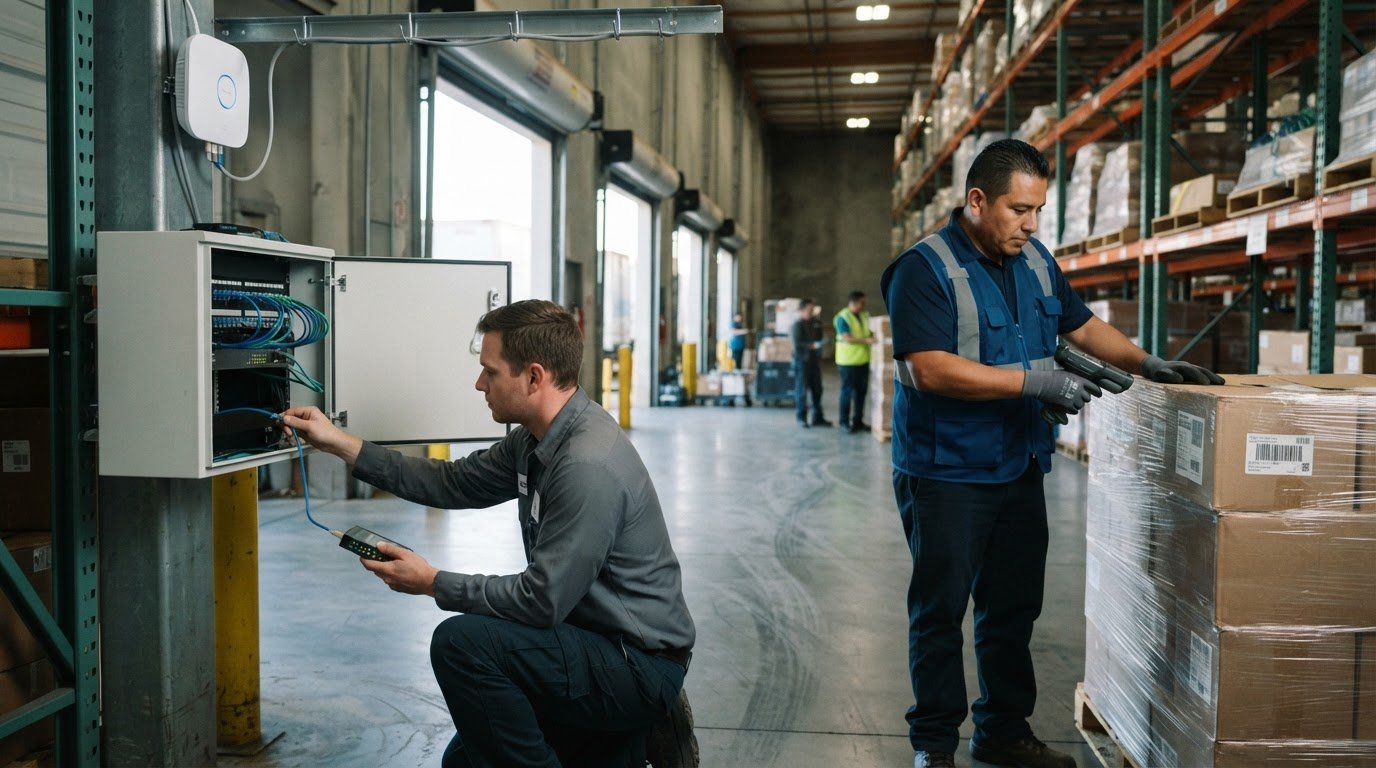
More than 200,000 jobs are attributed to warehouse and logistics facilities in the Inland Empire. Inland Empire IT support for logistics operations helps keep the technology behind receiving, inventory, shipping, and daily coordination dependable. When systems or connectivity falter, work can slow across the warehouse.
Reliable Inland Empire IT support for logistics means more than fixing problems after they disrupt operations. It connects network performance, cybersecurity, data backup, and recovery to the demands of a busy logistics environment. This article explains what logistics IT support covers, how response times and service agreements shape the relationship, and what to consider when choosing support for your operation. You’ll see how a proactive IT partner can address technology issues and help keep warehouse work moving.
• Compare response commitments, escalation steps, and service-level agreements by how clearly they describe support during operational disruptions.
• Review contract scope, renewal terms, and exit conditions so expectations stay clear throughout the support relationship.
• Assess whether a provider can support warehouse connectivity, cybersecurity, and data recovery in line with your operation’s needs.
• Choose managed or co-managed support based on the expertise your team has in-house and the responsibilities you need covered.
Compare written commitments, not a provider’s promise of “fast support.” For an Inland Empire warehouse, a delayed response to a shipping-system outage can affect dispatch, while a printer issue may leave other work moving. Ask how the provider classifies incidents, who receives them, and what happens after the first report. Response time measures how quickly support acknowledges or begins handling an issue. Resolution time describes how long the fix takes. An SLA should define which measure applies.
Review the service-level agreement for warehouse-specific examples. A wireless outage affecting handheld scanners needs a different priority from one employee’s password reset. The agreement should state how incidents are reported, how priority is assigned, when updates arrive, and how unresolved problems are escalated. Check whether the stated commitment covers the response, a workaround, or a completed repair. These are different outcomes, and unclear wording makes performance hard to assess.
Identify the support hours and channels for reporting a warehouse issue.
Confirm how the provider handles a site-wide network disruption versus an individual device problem.
Find out who takes ownership when the first technician cannot restore service.
Look for a stated process for communicating status while a fix is underway.
Next, examine how the SLA handles dependencies. A scanner problem might trace to a wireless access point, local network, or third-party logistics platform. The agreement should explain how support investigates and communicates when another vendor must act. Ask for a sample incident workflow, from ticket intake through escalation and closure. It should make ownership clear, especially when warehouse staff need an update before changing processes.
Contract terms shape the relationship beyond response targets. Compare the services included, exclusions, billing model, renewal date, cancellation process, and responsibility for equipment or third-party systems. Check whether onboarding, site changes, and additional warehouse locations are covered or handled separately. A contract that spells out each responsibility helps operations leaders understand who handles a network fault and who manages a software vendor’s response.
Use the same scenario when comparing proposals: a warehouse loses wireless access in a picking area during active operations. Ask each provider to describe the response path, escalation point, updates, and contract coverage. Then compare the written terms side by side. The best fit is the one whose commitments match your operation’s priorities and explain what happens from the first report through resolution.
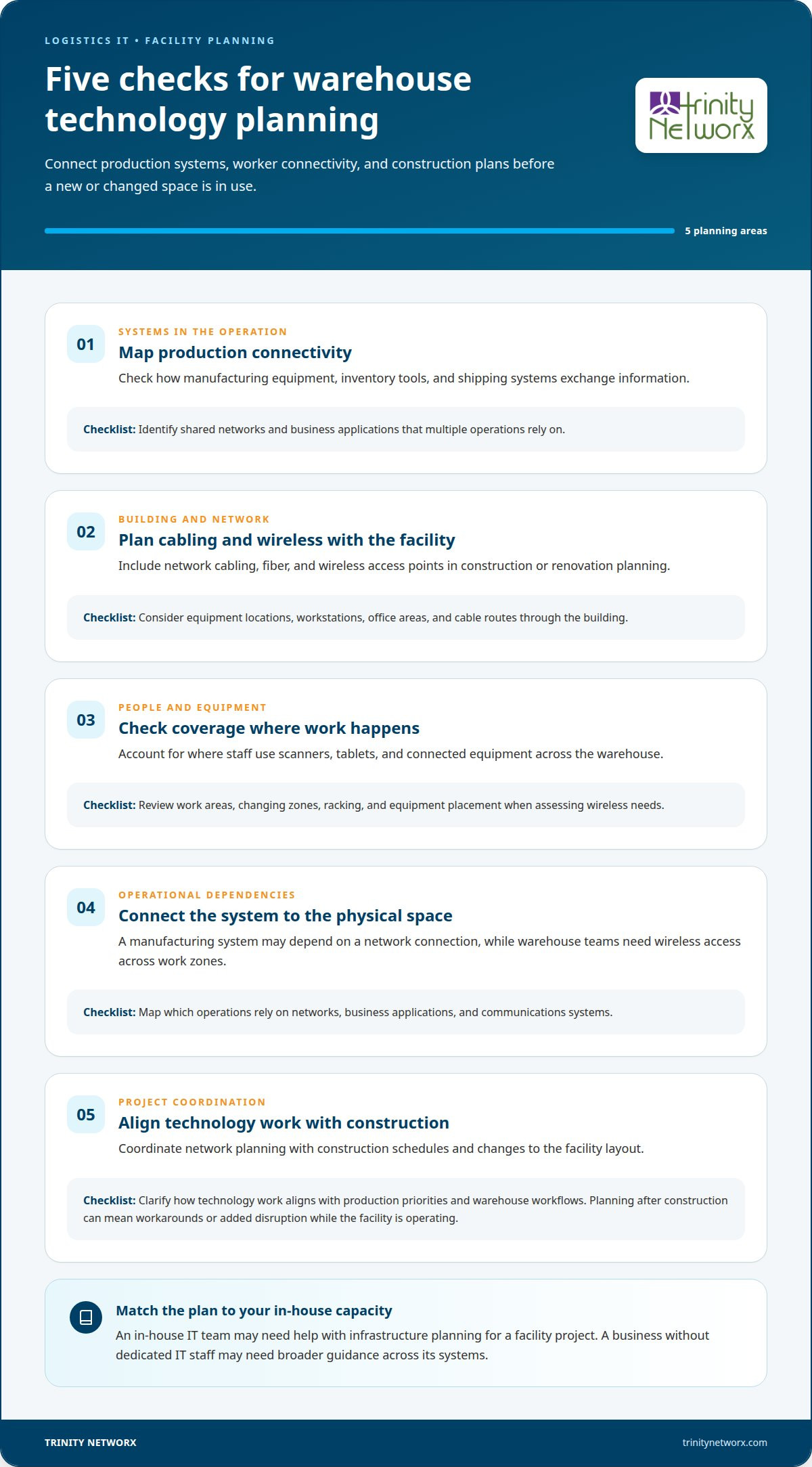
Look for support that connects warehouse IT with manufacturing technology and the building itself. Production equipment, inventory systems, and office tools may depend on the same network. A facility layout change can affect where connections are needed and how wireless devices communicate. The provider should understand these relationships before recommending a support plan.
Construction technology expertise matters when a warehouse is built, expanded, or reconfigured. Network cabling, fiber, and wireless access points need to fit the facility’s design and operational flow. Changes to racking, equipment placement, or work areas, for example, can affect where staff need reliable connectivity. Coordinating technology planning with construction helps account for those needs before the space is in use.
Assess how manufacturing equipment, inventory tools, and shipping systems exchange information.
Include cabling and wireless networking in construction or renovation planning.
Consider where workers use scanners, tablets, or connected equipment across the warehouse.
Map which operations rely on shared networks, business applications, or communications systems.
Clarify how technology work aligns with construction schedules and facility changes.
Ask how a provider approaches a new production area or warehouse expansion. A useful plan considers equipment locations, workstations, office areas, and the routes cables can take through the building. If connectivity is considered only after construction, teams may face workarounds or added disruption while the facility is operating.
Consider how the provider handles technology that crosses operational and building boundaries. A manufacturing system may depend on a network connection, while warehouse staff need wireless access across changing work zones. The support approach should account for both the technical system and the physical space, with clear coordination when construction changes affect the environment.
Finally, match the service relationship to your internal capacity. An in-house IT team may need help with infrastructure planning for a facility project, while a business without dedicated IT staff may need broader guidance across its systems. Discuss how the provider will align technology decisions with production priorities, warehouse workflows, and construction plans.
For a focused discussion, talk through your warehouse technology needs and how they connect to facility work.
Trinity Networx, LLC helps logistics businesses connect day-to-day IT needs with reliable operations. Turn to the team when recurring network issues, cybersecurity concerns, or data recovery gaps demand coordinated attention. Managed IT Services can support ongoing technology needs, while Co-Managed IT can work alongside an in-house team. Cybersecurity Solutions and Data Backup & Recovery address protection and continuity needs. The right mix depends on your systems, internal capacity, and the points where disruption affects warehouse work. For example, a business relying on connected devices across receiving and dispatch may need its network, account security, and recovery plans considered together. Discuss your operation and priorities directly. Contact Trinity Networx, LLC to talk through your logistics IT needs.
Connect IT priorities to the work your warehouse and production teams need to keep moving. Map the processes that depend on connected systems, then set a practical order for improving visibility, security, and recovery. A shared plan helps operations and technology teams make decisions before a facility expansion or construction project changes how people and equipment work together.
Inland Empire IT support for logistics teams should account for manufacturing technology and the facility itself. Production equipment, warehouse systems, and office operations may rely on the same network infrastructure. Planning construction-related technology alongside operational workflows helps identify connection gaps early and gives teams a clearer basis for coordinating changes to the space.
Trinity Networx, LLC can discuss how your technology needs align with warehouse workflows and construction plans. Contact Trinity Networx, LLC to talk through your operation’s priorities and plan a practical next step.
Trinity Networx, LLC serves businesses in supply chain management and warehouse environments. Its support is intended for business operations that rely on dependable technology, not residential computer repair. A logistics company can discuss its warehouse setup, business systems, and support needs to determine how the provider’s approach fits its operation.
Managed IT support pricing depends on the work and is provided after a quote request. Cost factors include the number of users or devices, the systems involved, and the scope of support. A warehouse with multiple sites or distinct operational needs may require a different service plan from a single office. Don’t assume an industry-wide price.
Trinity Networx, LLC provides 24/7 helpdesk support for approved clients and emergencies, along with remote and on-site business technology support. The right channel depends on the issue: an account access problem may be handled remotely, while a facility issue may call for on-site assistance. Support coverage and escalation should reflect the warehouse’s operating needs.
Trinity Networx, LLC serves Ontario and surrounding Southern California, including the Inland Empire communities named here. Remote support is also available nationwide. A warehouse can discuss its site location and technology needs to understand how support will be arranged for its operation. The company’s broader geographic focus includes California, Nevada, Arizona, and Utah.
Business technology services include Commercial Wi-Fi Installation & Wireless Networking, WiFi Infrastructure Build outs and Maintenance, and Commercial Structured Cabling & Fiber Optic Installations. Hardware procurement and installation can also support business projects. For a distribution center, these services can be planned around facility layout and equipment needs. Contact Trinity Networx to discuss your logistics operation and IT support requirements.

Article by
Lance Reichenberger, Ph.D.., J.D. (Candidate)
Dr. Lance Reichenberger is the founder of Trinity Networx, a Southern California technology firm specializing in managed IT services, cybersecurity, network infrastructure, and business technology strategy. With nearly four decades of experience in the IT industry, he works with businesses to improve operational efficiency, strengthen security, and align technology with long-term growth objectives.
Lance focuses on proactive IT management, enterprise wireless infrastructure, cybersecurity integration, and scalable technology solutions for growing organizations throughout Southern California.
The content published on this website is provided for general informational and educational purposes only. Articles may be created, edited, or enhanced with the assistance of artificial intelligence and automation tools under the direction and review of Trinity Networx. While every effort is made to ensure accuracy and relevance, the information provided should not be considered professional, legal, financial, cybersecurity, or technical advice specific to your organization. Businesses should consult directly with a qualified professional regarding their unique environment, compliance requirements, and operational needs. Trinity Networx makes no warranties regarding completeness, reliability, or applicability of the information contained within these articles.
Schedule a brief conversation with Trinity Networx to discuss your business technology needs.
Get a practical roadmap built around your business, your users, your systems, and the technology issues that need attention first.
Put the right technology, support, security, and infrastructure in place so your business can grow, adapt, and move forward with confidence.