

3281 E. Guasti Rd, STE 700, Ontario, CA 91761
1712 9th Ave SW, Watertown, SD 57201
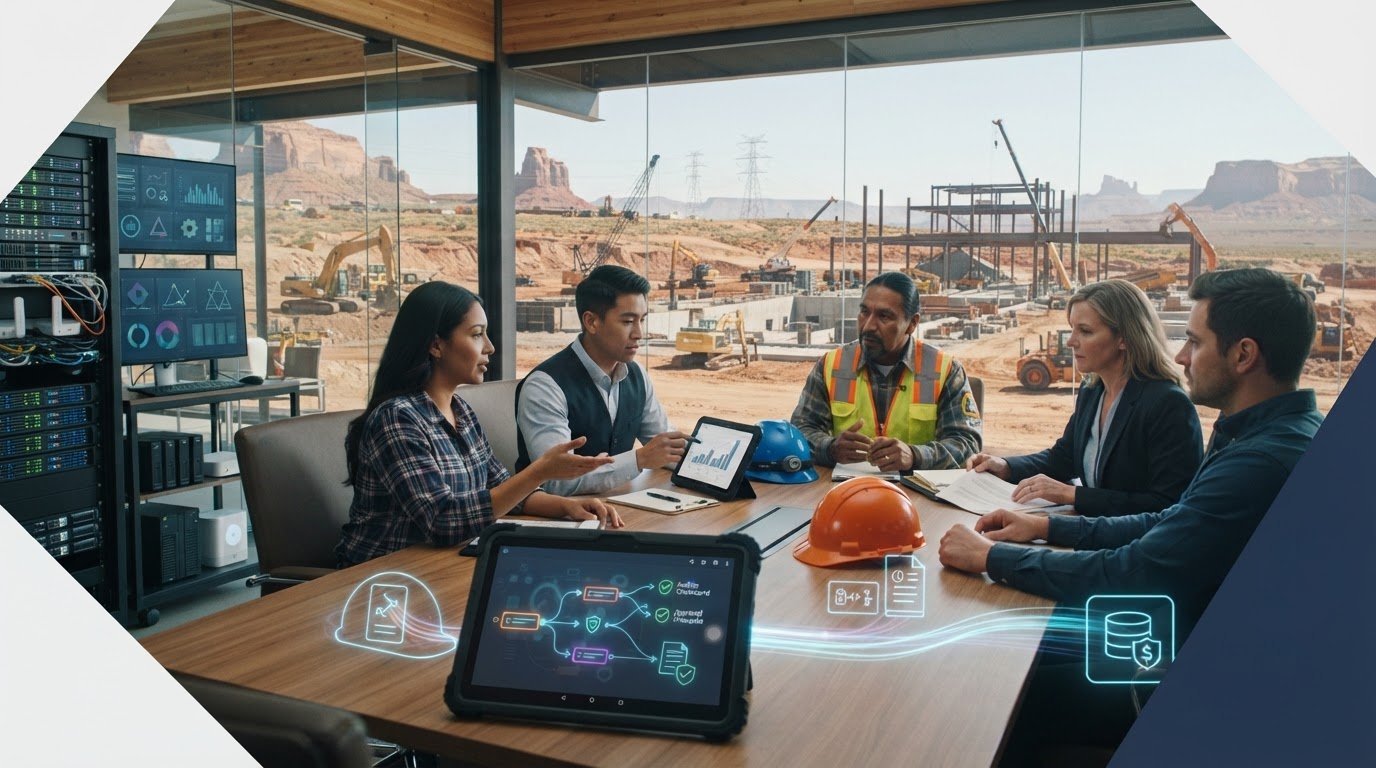
A financial audit can stall when a field timecard, change order, or equipment cost passes through several systems without a clear record of what happened. Construction firms need project, payroll, and accounting data to line up. The challenge is showing who had access, how system changes were handled, and where reliable records live. That is where IT general controls for financial audits matter.
This checklist connects construction technology controls to traceable financial data. It explains how to follow a transaction from a jobsite entry to a finance record, what evidence can help document the process, and who should own each step. It also covers how office-to-field connectivity, managed IT, cybersecurity, and backup practices support day-to-day control work. Your auditor determines the audit scope; well-organized technology records make it easier to follow the evidence.
• Trace a construction transaction from field entry through project systems to the finance record, noting where its history could break.
• Use IT general controls for financial audits to assess access, system changes, and operations affecting project, payroll, and accounting data.
• Review user access, role changes, account removals, and approvals across the systems your teams rely on.
• Rank control gaps by affected system and workflow, then assign an owner to coordinate follow-up across finance, project operations, and IT.
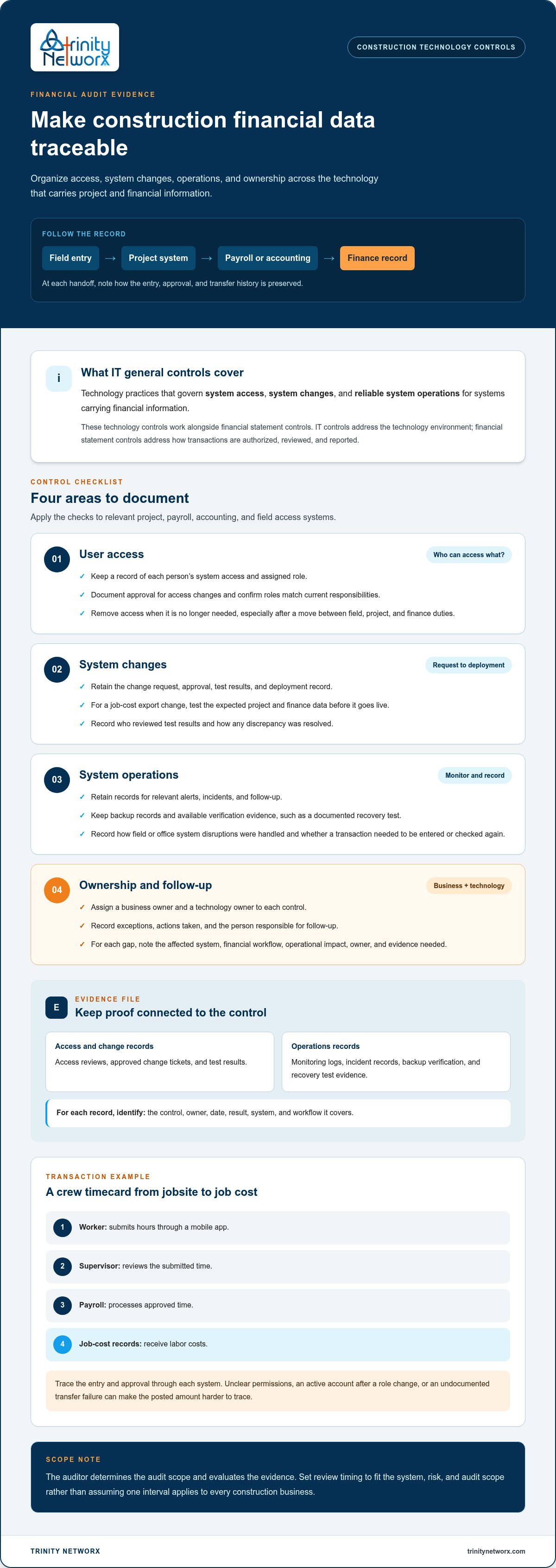
Construction financial records often begin outside the accounting system. A superintendent may approve a change order in a project app, a foreman may submit crew hours from a jobsite, and project staff may enter cost codes before finance posts costs to the ledger. Each handoff relies on systems that preserve the entry, approval, and transfer history.
IT general controls are technology practices that govern system access, system changes, and reliable system operations. They help demonstrate that the systems carrying financial information are managed consistently. Information technology controls provides broader context on how these controls support information systems.
Consider a crew timecard. A worker submits hours through a mobile app, a supervisor reviews them, payroll processes the approved time, and labor costs flow into job-cost records. If permissions are unclear, an account stays active after a role change, or a transfer fails without a recorded follow-up, finance may struggle to trace the posted amount to its source.
Change orders and cost entries create similar touchpoints. A change order might be approved in one system but recorded differently in accounting. The technology control question is whether access, system changes, and data movement are managed and documented. The accounting control question is whether the transaction was properly reviewed, coded, and recorded.
ITGCs govern the technology environment; financial statement controls govern how transactions are authorized, reviewed, and reported. They work together, but neither replaces the other. IT general controls for financial audits can help an auditor trace system activity. The auditor evaluates the evidence and applies professional judgment.
Construction-focused IT planning can help address gaps between jobsite tools, project systems, and finance. Trinity Networx provides construction IT support for these work environments, including office-to-field connectivity. Learn more about Construction IT support, or use the contact page to discuss your technology needs.
Apply these checks to systems that support project delivery and financial workflows, such as project management, payroll, accounting, and field access tools. For each system, identify the financial information it handles and the people responsible for its use and administration. The right evidence depends on the system and audit scope. The Federal Information System Controls Audit Manual (FISCAM) offers a government audit methodology for assessing information system controls, but it does not replace guidance from your own auditor.
Keep a record of who can access each relevant system and the role assigned to them. Confirm that access changes have documented approval, match current job responsibilities, and are removed when no longer needed. Pay particular attention when someone moves between field, project, and finance responsibilities.
For changes to project, payroll, or accounting workflows, retain the request, approval, test results, and deployment record. For example, test a change to a job-cost export against expected project and finance data before it goes live. Record who reviewed the results and how any discrepancy was resolved.
Retain monitoring records for relevant alerts, incidents, and follow-up. Keep backup records and available verification evidence, such as a documented recovery test. Record how disruptions affecting field or office systems were handled and whether a transaction needed to be entered or checked again.
Assign a business owner and a technology owner to each control. Record exceptions, actions taken, and who is responsible for follow-up. A named owner helps keep an unresolved issue from disappearing between project operations, finance, and IT.
Useful evidence can include access review records, approved change tickets, test results, monitoring logs, incident records, and backup verification. Each record should identify the control, owner, date, and result. Keep related records together and make clear which system and workflow they cover. Set review timing to fit the system, risk, and audit scope rather than assuming one interval applies to every construction business.
Managed IT support can help maintain documented access, change, and monitoring processes across field and office systems. Trinity Networx provides managed IT and construction technology support to help teams organize these processes. Details are available through the contact page.
A gap list is useful only when each item has an owner and a next step. For every issue, record the affected system, the financial workflow it touches, its operational impact, the person responsible, and the evidence needed to document follow-up. An access problem in a payroll system may need prompt attention. A poorly documented project data transfer may require process work across departments.
Group the work so urgent exposure gets attention without losing sight of longer-term technology needs:
Review disputed or outdated access with the relevant business owner, make approved changes, and retain the request and completion record.
Clarify who approves system changes, who tests them, and where records belong. Agree on how exceptions and follow-up will be recorded.
Map data transfers between jobsite tools, project systems, and finance platforms. Plan office-to-field connectivity improvements around active construction workflows. Construction IT services can support technology planning for these work environments.
Keep finance, project operations, and IT involved. Finance can identify the records and workflows that matter to reporting. Project teams can explain how field approvals and entries happen in practice. IT can document system access, technical changes, and remediation evidence. This shared view helps prevent a fix in one system from disrupting work elsewhere.
Trinity Networx provides construction-focused IT planning and technology support for control processes. Its services include managed IT, cybersecurity, data backup and recovery, cloud computing, and commercial structured cabling and wireless networking. These capabilities can help address technology issues affecting field-to-finance workflows.
Make audit readiness part of routine construction technology planning. As projects, teams, and workflows change, revisit whether system ownership and supporting records still reflect how work gets done. A scheduled discussion among project operations, finance, and IT can catch mismatches before they complicate a future close.
Use IT general controls for financial audits as a prompt to connect technology decisions to business needs. When introducing a field tool or workflow, plan how it will fit with existing systems and who will maintain its records. For contractors working across California, Nevada, Arizona, and Utah, include the systems and handoffs used by teams on jobsites in each state.
Choose an upcoming technology change and bring the right people together to plan it. Contact Trinity Networx to discuss construction IT support for your field and office workflows.
No. IT general controls for financial audits address the technology environment, while financial statement controls govern whether transactions are authorized, coded, reviewed, and reported correctly. A construction firm may control access to its accounting platform and still need a separate review confirming that a subcontractor invoice matches the right commitment and received approval before posting. The auditor evaluates both within the applicable scope.
Include applications that create, change, store, approve, or transfer information used in project costs or financial reporting. These may include accounting and payroll platforms, job-cost and project management tools, field timekeeping apps, purchase order workflows, document storage, and services that control user access. Contractors with teams working across California, Nevada, Arizona, and Utah should include the systems used across those jobsites.
Prepare records that connect each application to its role in a workflow, its responsible people, and the period under review. A system inventory, a simple data-flow diagram, named control owners, and clearly indexed supporting records can help answer questions efficiently. Keep original or system-generated records where practical, and include context explaining why an exception occurred and how the team addressed it.
Yes. A managed IT provider can help maintain system inventories, document technical access and configuration changes, preserve monitoring records, and coordinate approved technology fixes with finance and project leaders. For example, IT can record an account change while a department owner confirms the user’s project responsibilities. The provider supports technology processes; company leaders retain business decisions, and the auditor conducts the audit.

Article by
Lance Reichenberger, Ph.D.., J.D. (Candidate)
Dr. Lance Reichenberger is the founder of Trinity Networx, a Southern California technology firm specializing in managed IT services, cybersecurity, network infrastructure, and business technology strategy. With nearly four decades of experience in the IT industry, he works with businesses to improve operational efficiency, strengthen security, and align technology with long-term growth objectives.
Lance focuses on proactive IT management, enterprise wireless infrastructure, cybersecurity integration, and scalable technology solutions for growing organizations throughout Southern California.
The content published on this website is provided for general informational and educational purposes only. Articles may be created, edited, or enhanced with the assistance of artificial intelligence and automation tools under the direction and review of Trinity Networx. While every effort is made to ensure accuracy and relevance, the information provided should not be considered professional, legal, financial, cybersecurity, or technical advice specific to your organization. Businesses should consult directly with a qualified professional regarding their unique environment, compliance requirements, and operational needs. Trinity Networx makes no warranties regarding completeness, reliability, or applicability of the information contained within these articles.
Schedule a brief conversation with Trinity Networx to discuss your business technology needs.
Get a practical roadmap built around your business, your users, your systems, and the technology issues that need attention first.
Put the right technology, support, security, and infrastructure in place so your business can grow, adapt, and move forward with confidence.

