

3281 E. Guasti Rd, STE 700, Ontario, CA 91761
1712 9th Ave SW, Watertown, SD 57201
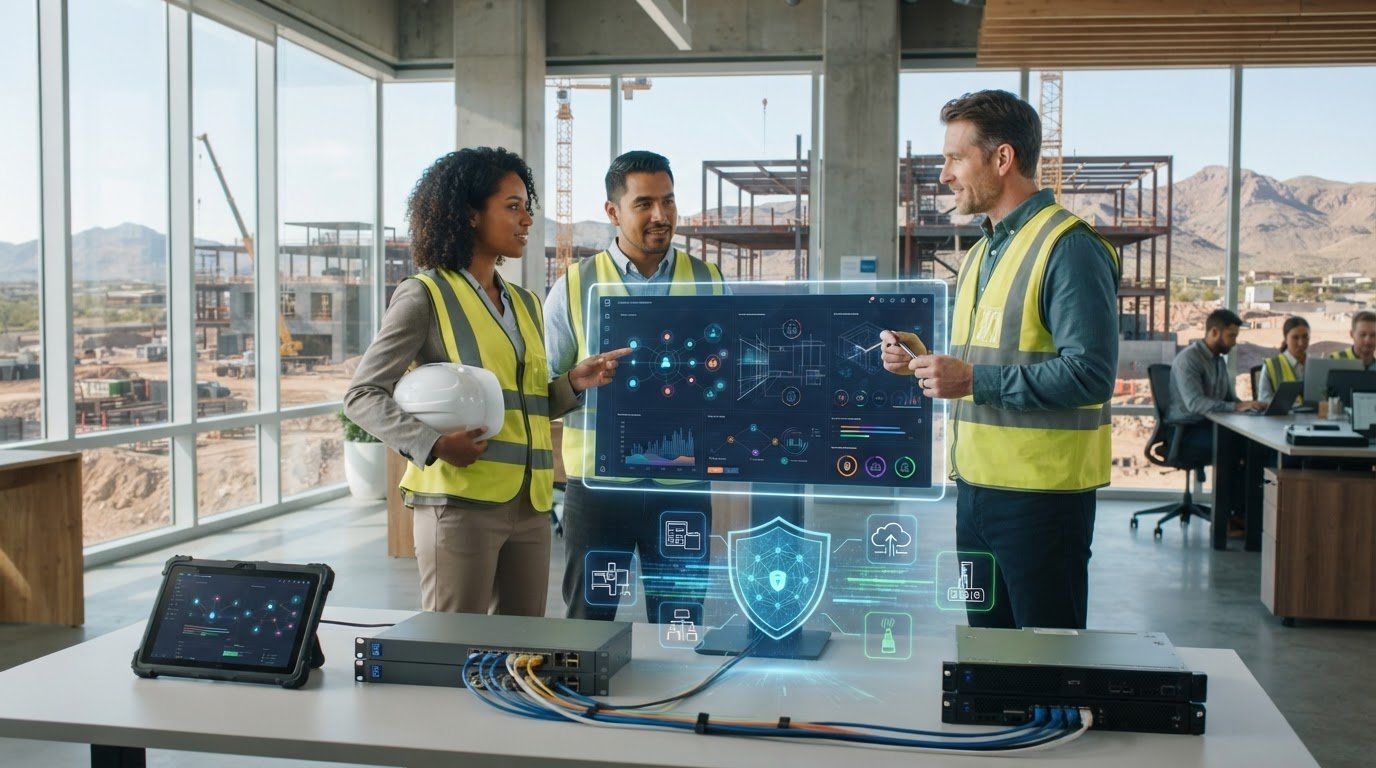
A cyber insurance application can stall when a construction firm can’t clearly account for the technology keeping projects moving. An IT provider that helps with cyber insurance applications can bring office, jobsite, and cloud systems into one accurate picture, then flag security gaps before submission. The application still belongs to your business, and an IT partner doesn’t act as your insurer or broker. It helps you verify technical answers with confidence.
Outdated details, unclear ownership, or different answers from office staff and field teams can make an application harder to complete. Construction-focused IT support can help organize current information about devices, connectivity, access controls, backups, and the systems crews rely on in the field. In this guide, you’ll learn how to gather those details, identify issues that need attention, and coordinate technical answers across your business. The result is a clearer application and a more accurate view of the technology your projects depend on.
• See how an IT provider that helps with cyber insurance applications can document construction systems and explain technical controls without advising on policy coverage.
• Build a clear picture of office technology, field access, project files, and external connections before completing application answers.
• Follow a practical sequence to inventory systems, record current controls, review information, and flag gaps for follow-up.
• Know what to look for in construction-focused IT support, including clear explanations, documented security work, and attention to field operations.
A construction firm’s technology rarely sits in one place. Office staff may manage bids and payroll on company computers, while project teams use phones or tablets to access plans, schedules, and jobsite updates. Cloud file storage, remote logins, and subcontractor connections add more systems to account for. If application answers describe only the office network, they may miss how work actually gets done.
An IT provider that helps with cyber insurance applications can map the systems in use, document existing technical controls, and explain those details in clear business language. The provider supports the technical record, while policy decisions remain with the insurer. For a broader primer, see What is Cyber Insurance?
Project management platforms, cloud files, mobile devices, and remote access all shape a construction firm’s technology footprint. An IT review can clarify which devices connect to business information, how field staff reach shared files, and where project data is stored. Include subcontractor access when those teams connect to company systems or exchange files through managed accounts. For example, note whether a field supervisor uses a company-managed device or a personal device to reach project documents, and which system stores the current plans.
Technical readiness evidence is not an insurance coverage decision. Clear, verifiable answers help an insurer review the business’s technology, but they don’t guarantee approval, specific terms, or a claim outcome. The insurer makes those decisions.
Construction-focused IT planning can also support secure office-to-field operations. Trinity Networx, LLC provides IT services for commercial construction, including technology planning and office-to-field connectivity. For help organizing technical information around the systems your crews rely on, contact the team.
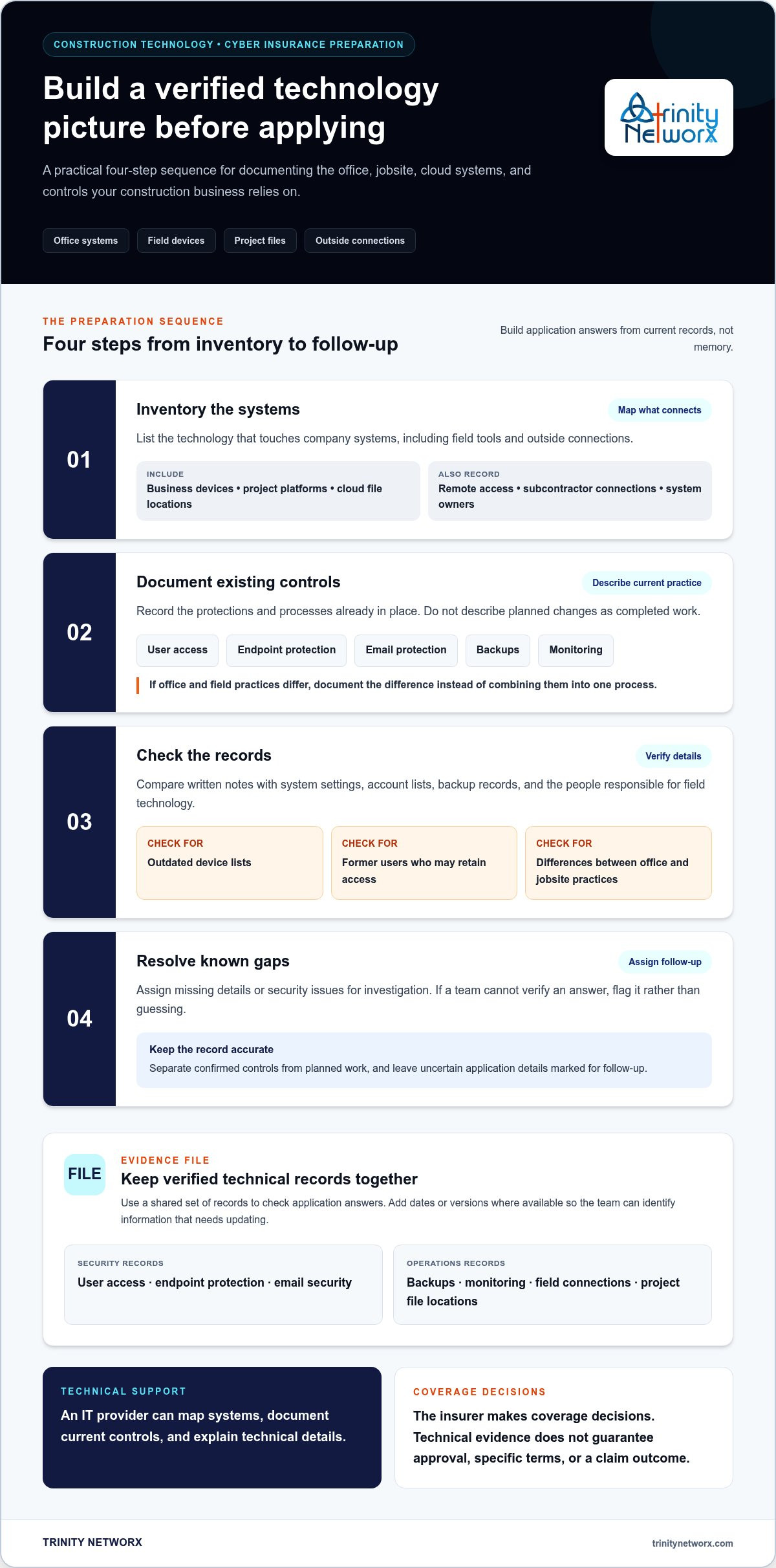
Build the application from records, not memory. For a construction company, the picture should include the office network and the technology crews use to access schedules, plans, and shared project files. A construction-focused IT provider that helps with cyber insurance applications can help gather technical facts, identify missing information, and keep answers tied to what the business can verify.
List business devices, project management platforms, cloud file locations, remote access methods, and outside connections that touch company systems. Include field devices and subcontractor access when they are part of your setup. Record who owns each system and who is responsible for maintaining it.
Record how user access is managed, what endpoint and email protections are in place, how backups work, and which systems are monitored. Describe the current setup, not a planned change. If field and office practices differ, note the difference rather than treating them as one process.
Compare notes with system settings, account lists, backup records, and the people responsible for field technology. Look for outdated device lists, former users who may retain access, or differences between office and jobsite practices.
Assign follow-up for missing details or security issues. If an application asks something the team can’t verify, mark it for investigation. Don’t guess or present planned work as completed.
An evidence file is a set of verified records describing the business’s systems and the controls currently in place. Organize it around user access, endpoint protection, email security, backups, and monitoring. Add a plain-language note on how field staff connect to company systems and where project information is stored. Include the date or version of the records where available, so the team can identify information that needs updating. This gives staff and technical support one source to use when checking application answers.
Trinity Networx, LLC provides construction cybersecurity support for the systems and connections commercial teams rely on. For help organizing technical details before you apply, contact the team.
Construction technology has to work across offices, jobsites, and changing project teams. Look for an IT provider that understands those conditions, explains technical details in plain language, and keeps records of security work. A provider unfamiliar with field operations may overlook how crews access project files or how office systems connect to the jobsite.
Use specific questions to assess the working relationship:
• How do you document current security controls and keep those records current?
• How do you flag gaps and distinguish completed work from planned changes?
• How do you account for field devices, remote access, and office-to-field connectivity?
• Can you explain technical details clearly enough for our team to verify them?
Clear answers matter. The provider prepares and explains technical facts; the insurer or broker makes decisions about coverage. No IT provider can promise an application will be approved or determine how a future claim will be handled.
A useful partner connects day-to-day security work with accurate application records. Managed security, monitoring, and backup practices can help show which controls are in place and where follow-up is needed. For example, documented backup arrangements give your team a factual basis for describing recovery practices, while monitoring records can clarify how business systems are watched. The details should reflect your actual setup, not assumptions.
Trinity Networx, LLC works with commercial construction firms on technology planning, security, and office-to-field connectivity. Construction firms in California, Nevada, Arizona, and Utah can discuss the systems their teams rely on and the technical information they need to organize. Contact Trinity Networx, LLC to talk through your business needs.
Make application preparation part of routine technology planning, not a last-minute scramble. Keep technical records aligned with how crews, office staff, and project partners work. When devices, access methods, or cloud systems change, update the details while they’re still clear. For firms managing active jobsites and changing project teams, regular reviews help decision-makers keep an accurate view of the technology in use.
An IT provider that helps with cyber insurance applications can document current controls and identify technical questions that need follow-up. Trinity Networx, LLC connects construction-focused IT planning and office-to-field connectivity with 24/7/365 proactive monitoring through its Southern California Network Operations Centre. Technical preparation supports clearer answers, while coverage decisions remain with the insurer.
Give your team a practical starting point for its next application. Discuss construction IT and cyber insurance application preparation with Trinity Networx, LLC, and move forward with a clearer view of the systems your projects depend on.
The company’s authorized representative should complete and submit the application. An IT provider can help verify technical terms in questions about systems the provider manages, but business leaders still need to confirm how those systems are used across the company. Keep the application with the person responsible for insurance records, and bring technical questions to the staff who know the setup.
No. Approval depends on the insurer’s review and its underwriting criteria. Treat application preparation as a way to give the insurer clear information, not as a commitment to a particular decision. Keep technology projects tied to the company’s security and continuity needs, and review policy questions about eligibility, limits, exclusions, or conditions with your insurance representative.
No. Questions and supporting information can vary by insurer and application. A general contractor with several active project platforms may need to describe a different technology environment than a subcontractor using a smaller set of business systems. Read each application on its own terms, and check whether renewal forms have changed instead of carrying answers forward automatically.
Involve the IT provider as soon as the application or renewal materials arrive, especially if the form includes unfamiliar technical terms. That gives the team time to locate records and coordinate with the staff responsible for jobsite technology. Construction firms in California, Nevada, Arizona, and Utah can discuss application preparation with Trinity Networx, LLC.

Article by
Lance Reichenberger, Ph.D.., J.D. (Candidate)
Dr. Lance Reichenberger is the founder of Trinity Networx, a Southern California technology firm specializing in managed IT services, cybersecurity, network infrastructure, and business technology strategy. With nearly four decades of experience in the IT industry, he works with businesses to improve operational efficiency, strengthen security, and align technology with long-term growth objectives.
Lance focuses on proactive IT management, enterprise wireless infrastructure, cybersecurity integration, and scalable technology solutions for growing organizations throughout Southern California.
The content published on this website is provided for general informational and educational purposes only. Articles may be created, edited, or enhanced with the assistance of artificial intelligence and automation tools under the direction and review of Trinity Networx. While every effort is made to ensure accuracy and relevance, the information provided should not be considered professional, legal, financial, cybersecurity, or technical advice specific to your organization. Businesses should consult directly with a qualified professional regarding their unique environment, compliance requirements, and operational needs. Trinity Networx makes no warranties regarding completeness, reliability, or applicability of the information contained within these articles.
Schedule a brief conversation with Trinity Networx to discuss your business technology needs.
Get a practical roadmap built around your business, your users, your systems, and the technology issues that need attention first.
Put the right technology, support, security, and infrastructure in place so your business can grow, adapt, and move forward with confidence.

