

3281 E. Guasti Rd, STE 700, Ontario, CA 91761
1712 9th Ave SW, Watertown, SD 57201
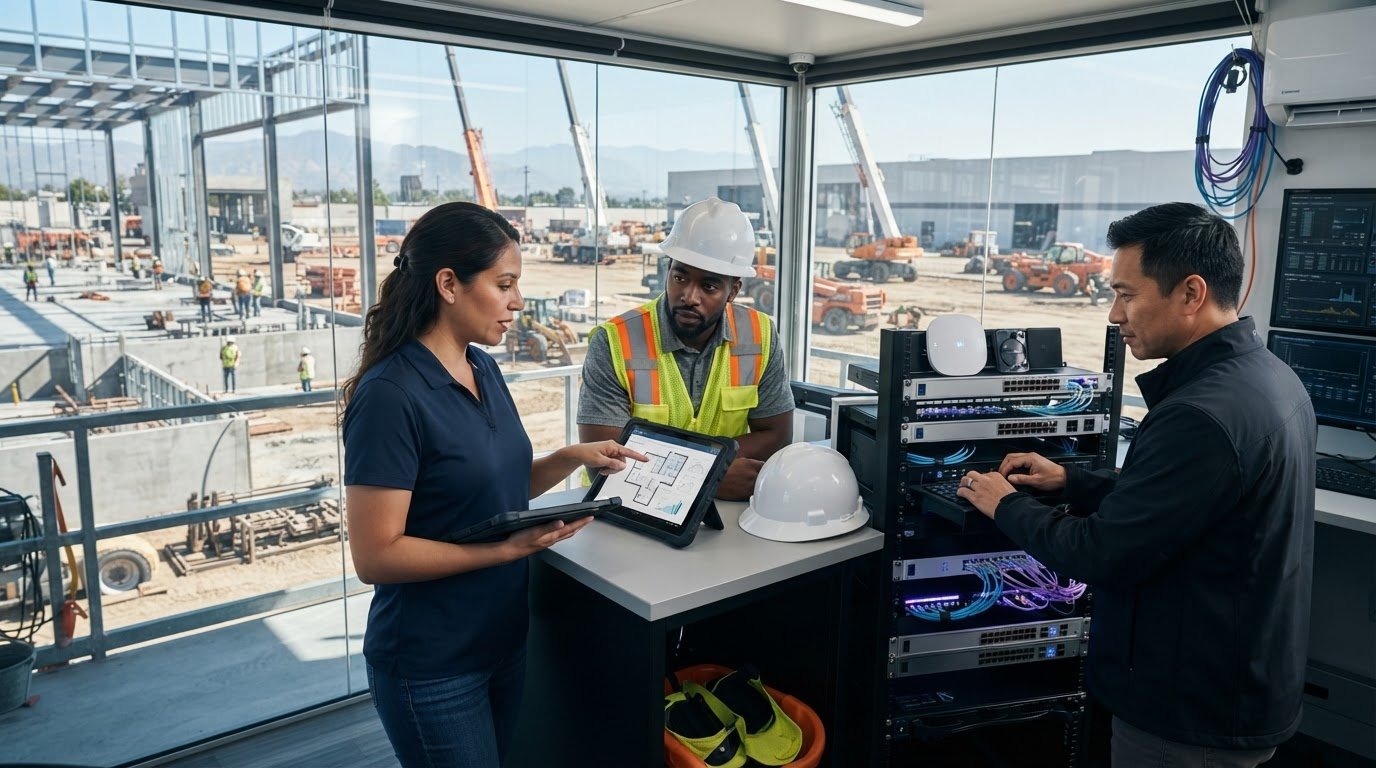
What happens when a project team can’t reach current plans from the jobsite, or a new site opens before its network is ready? Office and field crews need reliable access to project information, but each construction environment brings different connectivity and equipment needs. That’s why IT support for manufacturing in the Ontario CA industrial corridor should be assessed through a construction lens: project offices, active jobsites, and the transitions between them.
Construction leaders already know that technology gaps can slow coordination. The challenge is setting clear support expectations before work moves forward. This guide explains how to assess a provider’s coverage for project teams, field connectivity, commercial cabling, and technology relocations. It also outlines questions to ask about changing site requirements and specialized production or operational systems, so your support plan fits the work at hand.
• Assess whether IT support covers the distinct needs of offices, project sites, and field teams.
• When comparing IT support for manufacturing in the Ontario CA industrial corridor, ask how providers handle connectivity, cabling, and changes between projects.
• Clarify who plans site technology, maintains documentation, and coordinates support with project stakeholders.
• Build a site and workflow inventory, then confirm in writing which production or OT systems fall within the provider’s scope.
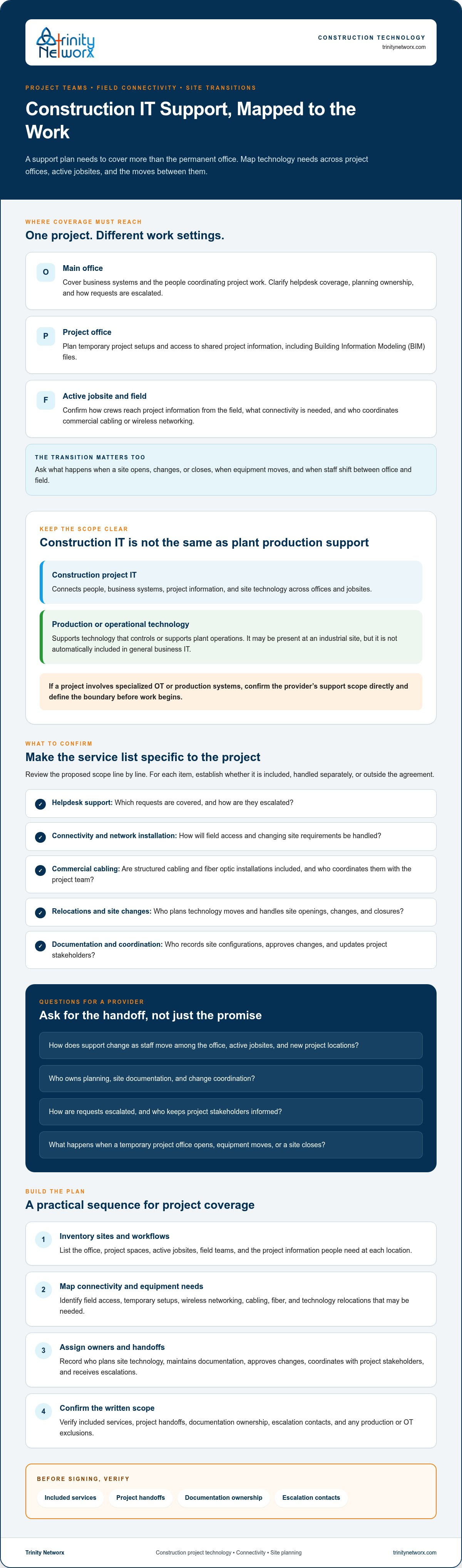
Construction IT support brings together people, business systems, and site connectivity so project teams can access the information and tools their work depends on. The needs shift as a contractor moves between its main office, temporary project spaces, and active jobsites. A plan that covers office computers but leaves field access or a site transition unaddressed has a gap.
Construction project IT keeps teams connected to project information; manufacturer production-system support addresses the technology controlling or supporting plant operations. They can overlap at an industrial site, but they aren’t interchangeable. If a project touches specialized operational technology (OT) or production systems, ask the provider to confirm its support scope directly. Don’t assume general business IT includes those systems.
Look for a clear discussion of office-to-field connectivity, temporary project setups, technology relocations, and the IT requirements of new-construction environments. Commercial structured cabling, fiber optic installations, and commercial Wi-Fi or wireless networking may be relevant, but confirm which work the provider includes and who coordinates it with the project team.
Project teams may also exchange Building Information Modeling (BIM) files. Ask how staff will access shared project information from each location, and what happens when a site opens, changes, or closes. Trinity Networx outlines its Ontario IT project planning services for businesses planning technology around changing requirements.
For IT support for manufacturing in the Ontario CA industrial corridor, keep the construction scope distinct from plant production support. Define the boundary before work begins. To discuss construction technology planning, connectivity, or cabling needs, contact Trinity Networx.
A service list won’t tell you how support works when a project changes location or a crew needs access from the field. Compare providers against the actual movement of your work: office-to-field access, jobsite connectivity, cabling, and technology changes between projects. Ask what happens when a temporary project office opens, equipment moves, or a site closes. Clear answers reveal whether planning covers the full project cycle or only the permanent office.
Review the proposed scope line by line. Confirm whether commercial cabling, network installation, technology relocation, and helpdesk support are included, handled separately, or outside the agreement. Ask who records site configurations, approves changes, receives escalations, and coordinates with project managers or construction stakeholders. If your team also needs cybersecurity guidance, CISA’s CISA Cyber Essentials offers practical security topics to discuss with a provider.
Ask how support changes as staff move among the office, active jobsites, and new project locations. Request examples of planning and handoff steps, rather than relying on broad assurances. Trinity Networx describes its construction technology services and proactive IT maintenance for Ontario businesses.
• Which helpdesk, relocation, network, and cabling tasks are included?
• Who owns planning, site documentation, and change coordination?
• How are requests escalated, and who updates project stakeholders?
Before signing, verify four things: included services, project handoffs, documentation ownership, and escalation contacts. For IT support for manufacturing in the Ontario CA industrial corridor, make sure construction project needs remain distinct from any specialized production or OT systems. Confirm those systems directly with the provider. To review your project requirements, contact the Trinity Networx team.
Start with a working inventory, not a vendor’s service menu. Record each office and project location, who needs access from the field, how teams connect, and which technology must move or change as projects start and finish. Note current pain points and who handles each task today. This gives you a practical basis for identifying gaps and deciding what the provider must own.
Then define the boundaries in writing. Separate helpdesk and managed IT support from commercial cabling, Wi-Fi installation, relocations, and new-site setup. State who plans the work, documents changes, and coordinates with project stakeholders. If a project touches production equipment or OT, flag it for direct confirmation. NIST’s cybersecurity guide for manufacturing addresses manufacturing environments, but its existence does not confirm that a construction IT provider supports a specific OT system.
Bring a list of project locations, critical workflows, recurring technology problems, and existing support responsibilities. Ask how planning, cabling, equipment relocation, and office-to-field connectivity fit the provider’s actual scope. Trinity Networx describes its Ontario IT helpdesk and support; compare that coverage with the needs in your inventory, rather than assuming every project task is included.
For IT support for manufacturing in the Ontario CA industrial corridor, keep construction project support distinct from specialized production-system coverage. Put inclusions, exclusions, and responsibilities in writing before a project begins. To discuss your construction technology requirements, contact the Trinity Networx team.
Reliable construction IT starts with clear coverage across offices, project sites, and field teams. Assess how staff access project information, what happens when technology moves between locations, and which cabling or connectivity tasks belong in the provider’s scope. Keep specialized production or OT systems as a separate point to confirm, not an assumed part of general support.
For firms weighing IT support for manufacturing in the Ontario CA industrial corridor, construction-focused expertise should account for project changes as well as day-to-day access. Trinity Networx brings local presence through its Ontario office and Southern California NOC, with construction IT planning, office-to-field connectivity, low-voltage cabling, and technology relocations among its relevant capabilities.
Start with your locations, workflows, and support gaps. Then set expectations in writing. Contact the Trinity Networx team to discuss construction IT support and take a clear next step toward keeping project teams connected.
Look for support that accounts for how construction teams work across offices, project locations, and the field. Ask about helpdesk coverage, office-to-field connectivity, commercial Wi-Fi, cabling, and technology moves as projects change. For IT support for manufacturing in the Ontario CA industrial corridor, define construction needs separately from specialized production or OT systems, and confirm those systems directly with the provider.
Yes, if its written scope covers the locations and work your teams rely on. Ask how staff access project information from the office and jobsite, who handles connectivity issues, and how support adjusts when a project location opens or closes. Trinity Networx lists construction-focused IT planning, office-to-field connectivity, technology relocations, and new-construction setup among its capabilities.
Compare their written service boundaries against your project workflows, not just a general list of IT services. Confirm who handles planning, cabling, relocations, helpdesk requests, documentation, and escalation. Ask how the provider coordinates changes with project stakeholders. Clear answers help expose gaps before a move or new site creates confusion about ownership and support.
Not automatically. General construction IT may cover business networks and team connectivity, while production or OT systems can require separate expertise. Ask the provider to identify exactly which systems it supports, what tasks are included, and where another specialist may be needed. To discuss construction technology requirements with Trinity Networx, contact the team.

Article by
Lance Reichenberger, Ph.D.., J.D. (Candidate)
Dr. Lance Reichenberger is the founder of Trinity Networx, a Southern California technology firm specializing in managed IT services, cybersecurity, network infrastructure, and business technology strategy. With nearly four decades of experience in the IT industry, he works with businesses to improve operational efficiency, strengthen security, and align technology with long-term growth objectives.
Lance focuses on proactive IT management, enterprise wireless infrastructure, cybersecurity integration, and scalable technology solutions for growing organizations throughout Southern California.
The content published on this website is provided for general informational and educational purposes only. Articles may be created, edited, or enhanced with the assistance of artificial intelligence and automation tools under the direction and review of Trinity Networx. While every effort is made to ensure accuracy and relevance, the information provided should not be considered professional, legal, financial, cybersecurity, or technical advice specific to your organization. Businesses should consult directly with a qualified professional regarding their unique environment, compliance requirements, and operational needs. Trinity Networx makes no warranties regarding completeness, reliability, or applicability of the information contained within these articles.
Schedule a brief conversation with Trinity Networx to discuss your business technology needs.
Get a practical roadmap built around your business, your users, your systems, and the technology issues that need attention first.
Put the right technology, support, security, and infrastructure in place so your business can grow, adapt, and move forward with confidence.

