

3281 E. Guasti Rd, STE 700, Ontario, CA 91761
1712 9th Ave SW, Watertown, SD 57201

The best construction software setup is rarely one platform for every task. IT support for construction project management software should match tools to project size, complexity, and daily workflows, while accounting for scheduling, accounting, and specialist systems that may need to connect. A central platform can coordinate work, but it won't replace every specialized tool.
Choosing software is only the start. Teams also need a practical adoption plan, clear ownership, and IT support for construction project management software that reflects how work moves between the office and the job site. Without that fit, even a capable platform can add steps instead of reducing friction.
This guide compares five support approaches and explains where each fits across software selection, adoption planning, implementation, and construction workflows. You’ll see what to weigh, where gaps can arise, and how to choose support that keeps project coordination moving.
• Choose tools around project size, complexity, and team workflows rather than assuming one platform must cover every task.
• Plan user guidance and clear ownership before rollout so teams know how the software fits their day-to-day work.
• Map connections between scheduling, accounting, and project platforms to spot manual handoffs and gaps in cost visibility.
• Match IT support to the work ahead, from software selection and adoption planning to cybersecurity and data recovery needs.
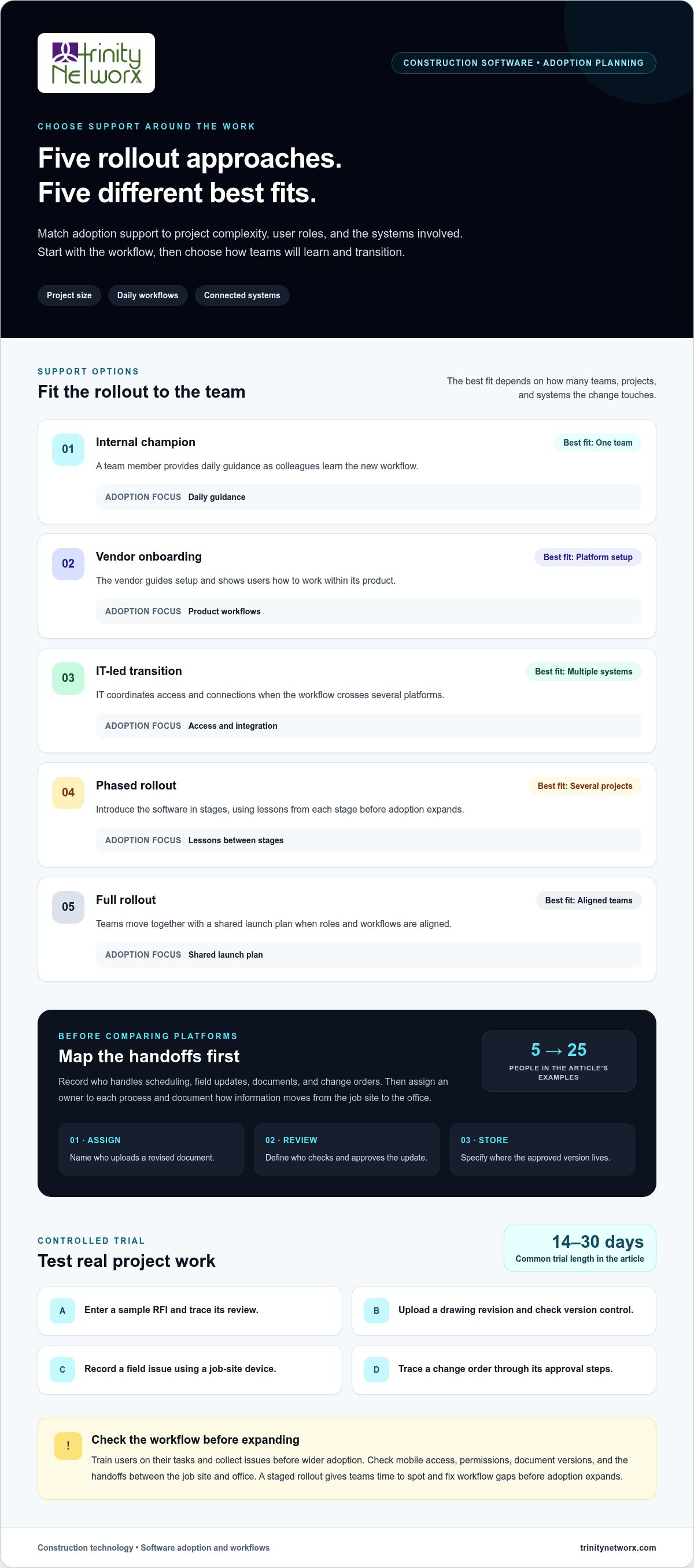
Start with the work, not a feature checklist. A five-person residential contractor and a 25-person commercial contractor managing several projects need different software mixes. Map who handles scheduling, field updates, documents, and change orders before comparing platforms. Construction scheduling tools may serve planners rather than every project team member, so avoid paying for broad access without a clear workflow.
Turn the workflow map into a transition plan. Assign an owner to each process, then document how information moves from the job site to the office. For example, define who uploads a revised document, who reviews it, and where the approved version is stored. Clear handoffs help teams coordinate and compare actual progress with project records.
• List project types, team roles, reporting needs, and current tools.
• Choose one active project for a controlled trial; construction software trials often last 14-30 days.
• Train users on their tasks, then collect issues before wider adoption.
Use the trial to test real work, not a polished demo. Enter a sample RFI, upload a drawing revision, record a field issue, and trace a change order through its approval steps. Check whether mobile access, permissions, and document version control fit the crew’s routine. Construction-specific planning can also account for job-site and office workflows through commercial construction IT services.
| Support option | Best fit | Adoption focus |
|---|---|---|
| Internal champion | One team | Daily guidance |
| Vendor onboarding | Platform setup | Product workflows |
| IT-led transition | Multiple systems | Access and integration |
| Phased rollout | Several projects | Lessons between stages |
| Full rollout | Aligned teams | Shared launch plan |
Choose an approach that matches project complexity, user roles, and the systems involved. A staged rollout gives teams time to identify and fix workflow gaps before adoption expands.
Connect systems around the information teams need to act on. Construction scheduling software commonly connects with project management platforms, aligning planned timelines with field execution. Accounting systems may remain separate, leaving project managers with limited cost visibility. Map which platform owns budgets, actual expenses, schedules, and change orders before setting up data exchange.
Use a test project to trace one record through each handoff. For example, follow an approved change order from project documentation into accounting. Note where staff re-enter details, approvals stall, or the final record is stored. A centralized workflow can improve visibility, but specialized tools may still be needed.
Vendor support plans vary in coverage, response targets, support channels, and escalation paths. Compare the terms directly, including whether assistance covers integrations or only the vendor’s platform. Consider how support would handle a blocked accounting sync as well as a routine user question.
Hardware, network, and cloud requirements depend on each platform’s published specifications and deployment model. Before rollout, compare supported devices, operating systems, browser access, storage, connectivity, and identity controls. Test the setup with office computers and field devices using real project documents.
For mobile crews, IT support can help pinpoint whether a problem involves the device, network, account access, or application. Test a real workflow: upload a site photo, open a current drawing, and record an issue from a job-site device. If connectivity drops, confirm the platform’s offline functions and how updates sync when access returns.
For help mapping system handoffs and field access, discuss your construction technology needs.
Construction companies may connect accounting tools with project management platforms to reduce manual reconciliation and improve financial visibility. Because accounting and project execution systems often operate separately, project-level cost information can be harder to see.
In most cases, a single construction platform cannot replace every construction software tool. Modern platforms are designed to connect systems, not necessarily replace specialized applications.
Construction project management platforms coordinate daily work, not just schedules. Teams use them to manage documents, communication, task ownership, progress updates, and changes. For example, a superintendent can log a site issue while the project manager assigns follow-up and tracks its status.
Choose IT support that matches your systems and workflows. Ask whether its scope covers user access, devices, cloud services, cybersecurity, and connections to scheduling or accounting tools. A useful test is to trace an RFI from field entry through review, reporting, and final storage.
US compliance requirements depend on the data, contract, and project. Identify sensitive information, contractual security terms, and client-specific controls. Then align access, storage, retention, and backup practices with those obligations.
There is no single fixed price for IT support for construction project management software. Costs depend on user count, platform mix, support coverage, integration needs, and project operations. A service quote should reflect the scope of support required.
US-based support varies by provider. Software vendors may cover only their own platform, while an IT team can support devices, networks, cloud systems, and related applications. Compare support location, response terms, construction workflow experience, and escalation steps.
Cybersecurity and backup risks include stolen credentials, overly broad permissions, phishing, lost devices, and inaccessible project files. Use role-based access, multifactor sign-in, protected backups, and recovery testing. Confirm that drawings, schedules, and field updates can be restored in a usable form.
Need help aligning field technology, project systems, and data protection? Discuss your construction IT support needs.
These platforms can support planning, coordination, and tracking across people, tasks, documents, communication, and progress. Version control helps teams organize project documents and reduce errors. Scheduling tools use Gantt charts, critical path analysis, and dependency tracking to monitor timelines and flag potential delays. Project controls compare actual spending with approved budgets, helping teams identify cost variances early.
Trinity Networx helps construction businesses support and protect the technology around their project software. Turn to its Managed IT Services when device access, network issues, or user support disrupt office and field workflows. For businesses with internal IT staff, Co-Managed IT supplements the team while keeping existing staff involved.
Project records also need protection. Trinity Networx Cybersecurity Solutions help businesses address account and access risks, while Data Backup & Recovery supports the protection and restoration of important files. Together, these services support the systems and data teams rely on to coordinate construction work.
For help aligning business IT with construction operations, contact Trinity Networx.
A construction platform is more useful when ownership remains clear after launch. As projects, crews, and reporting needs change, decide who reviews access, data flows, and handoffs between software and daily operations. Clear governance keeps the system aligned without turning every workflow change into a technology reset.
The right IT support for construction project management software should fit how your business works today and leave room for its next phase. Trinity Networx can help assess where technology support fits, whether you’re planning a change or addressing friction in current operations across California, Nevada, Arizona, and Utah.
Bring a recurring issue, a specific workflow, or an upcoming software decision to the conversation. A focused starting point can clarify the next move for your team. Contact Trinity Networx to discuss your needs, and take your next project technology decision forward with confidence.
Construction teams need support for user access, work devices, connectivity, cybersecurity, and project data recovery. For example, when a subcontractor’s access ends, staff should know who removes permissions and preserves project records. Managed IT Services supports the business systems around the platform, while Cybersecurity Solutions and Data Backup & Recovery help protect accounts and files.
Requirements depend on each platform’s published specifications and deployment model. Check supported devices, operating systems, browser access, storage, connectivity, and identity controls. Then test the setup with office computers and field devices using real project documents.

Article by
Lance Reichenberger, Ph.D.., J.D. (Candidate)
Dr. Lance Reichenberger is the founder of Trinity Networx, a Southern California technology firm specializing in managed IT services, cybersecurity, network infrastructure, and business technology strategy. With nearly four decades of experience in the IT industry, he works with businesses to improve operational efficiency, strengthen security, and align technology with long-term growth objectives.
Lance focuses on proactive IT management, enterprise wireless infrastructure, cybersecurity integration, and scalable technology solutions for growing organizations throughout Southern California.
The content published on this website is provided for general informational and educational purposes only. Articles may be created, edited, or enhanced with the assistance of artificial intelligence and automation tools under the direction and review of Trinity Networx. While every effort is made to ensure accuracy and relevance, the information provided should not be considered professional, legal, financial, cybersecurity, or technical advice specific to your organization. Businesses should consult directly with a qualified professional regarding their unique environment, compliance requirements, and operational needs. Trinity Networx makes no warranties regarding completeness, reliability, or applicability of the information contained within these articles.
Schedule a brief conversation with Trinity Networx to discuss your business technology needs.
Get a practical roadmap built around your business, your users, your systems, and the technology issues that need attention first.
Put the right technology, support, security, and infrastructure in place so your business can grow, adapt, and move forward with confidence.

