

3281 E. Guasti Rd, STE 700, Ontario, CA 91761
1712 9th Ave SW, Watertown, SD 57201
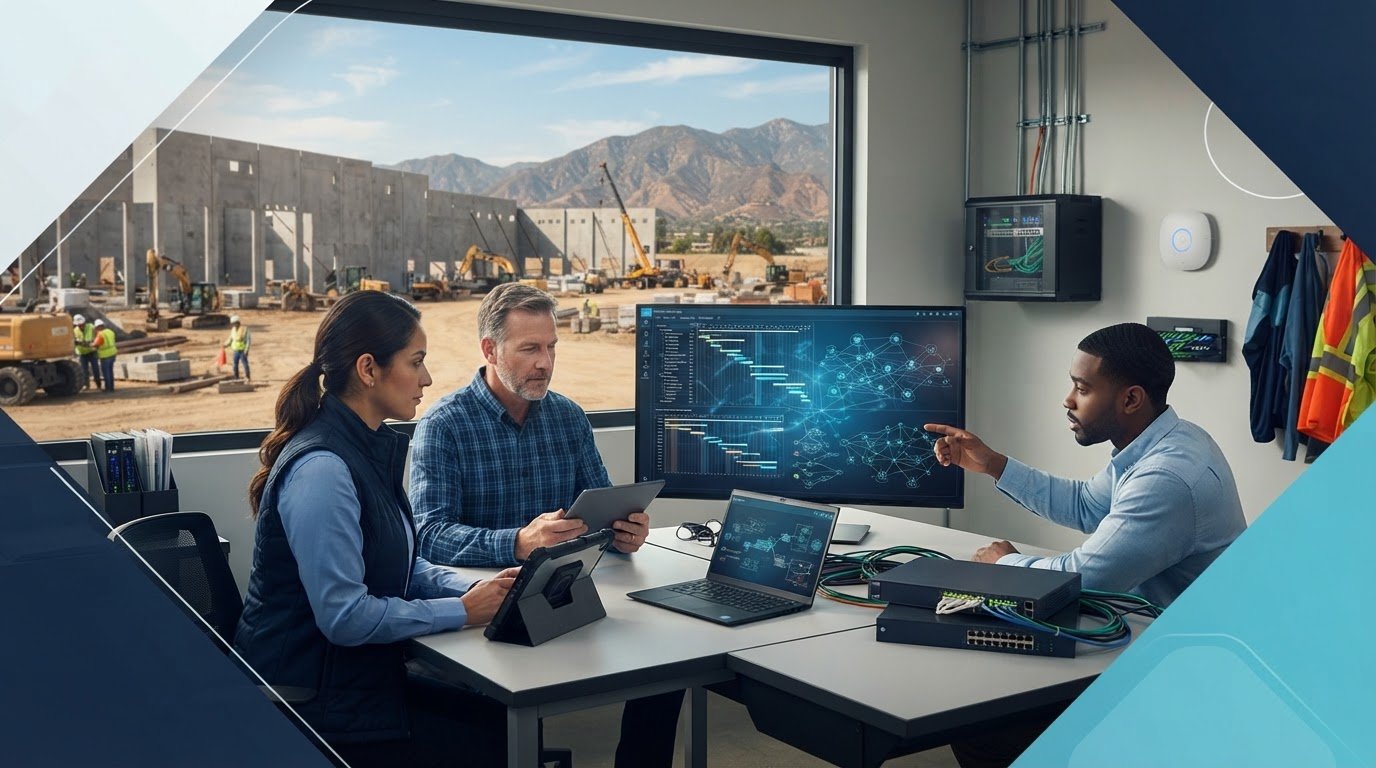
What if your IT provider closes support tickets but can’t keep office and field teams connected to the same project information? IT support for businesses in industrial parks in Fontana should be judged by more than helpdesk coverage. Network faults, weak wireless connections, or equipment failures can leave project managers, estimators, and field crews working from different files and schedules.
Construction teams need dependable access to shared systems, whether they’re coordinating from an office or a job site. This guide explains how to assess providers for construction operations, including office-to-field connectivity, commercial cabling and Wi-Fi, cybersecurity, backups, and recovery. You’ll find practical questions to ask about support and network infrastructure, along with a clear starting point for reviewing your current setup.
• Assess each office and job site separately. Connectivity, cabling, wireless coverage, and equipment needs can differ by location.
• Compare IT support for businesses in industrial parks in Fontana by construction experience, office-to-field access, cybersecurity, backups, and clear support ownership.
• Prepare a short brief covering project workflows, key systems, current support, locations, and known technology issues before evaluating providers.
• Explore the construction IT planning, cabling, and wireless networking capabilities of Trinity Networx, LLC. Contact the team to discuss your environment.
Construction teams need reliable access to project information, communication tools, and business systems. If a field crew can’t reach the current project file or the office can’t share an update, work may stall while people look for the right information. The cause could be a network connection, equipment, or a gap in the way office and field teams work together.
IT support for businesses in industrial parks in Fontana should begin with an assessment of each facility and its work patterns. An industrial park is planned for industrial activity, but buildings can still differ in cabling, wireless coverage, equipment, and connectivity. Ask a provider to review the locations your teams use rather than assuming one solution will fit every site.
Start with the handoffs that keep projects moving: communication between office and field, access to shared project files, and coordination across active jobs. List the systems and connections teams rely on each day. Note where they need access away from the office, which devices they use, and what happens when a connection or system is unavailable.
• How do field staff access current project information, and how do they know they have the latest version?
• Which communication tools connect crews, project managers, and office staff?
• What work depends on a specific network, device, or shared system?
Then ask how the provider would assess cabling, wireless coverage, equipment, security, and office-to-field access before recommending changes. Include continuity planning: how is important project information backed up, and what steps would be needed to restore access if a system failed? A useful assessment should link each recommendation to a real workflow or business need.
Construction-aware IT support connects office-to-field workflows, site networking, security, and continuity planning to the systems crews rely on to coordinate active work.
Trinity Networx, LLC lists construction IT planning and office-to-field connectivity among its capabilities. Review its IT services for commercial construction, then contact the team to discuss your environment.
Choose a provider based on how its support fits construction work, not on the length of its service list. For IT support for businesses in industrial parks in Fontana, ask for a site assessment before accepting recommendations. Cabling, wireless coverage, equipment, and office-to-field access should be reviewed at the locations your teams actually use. If projects span California, Nevada, Arizona, or Utah, include those locations and their workflows in the discussion.
Ask how the provider plans for technology relocations, new construction, and active project environments. Look for clear steps, such as documenting site requirements and identifying systems crews need to access.
Find out how the provider checks cabling, Wi-Fi coverage, network equipment, and field access before proposing changes. Ask what it will inspect and how it will explain any coverage gaps.
Ask how the provider identifies security gaps and supports your construction team’s protection practices. CISA offers guidance to help organizations reduce the likelihood of a damaging cyber intrusion.
Clarify how backup status is verified and how recovery planning accounts for the project information your teams need. Ask which systems and files are included and how the provider would explain the recovery process.
Establish who receives requests, manages escalation, and keeps your team informed. Confirm how monitoring and help desk access work rather than assuming a particular service level.
Ask the provider to walk you through how it would assess your facilities and workflows. Which connections support field access to shared files? What equipment or cabling needs review? How would a relocation or new-construction setup be planned? Ask how the provider will distinguish urgent access problems from routine requests and who will communicate progress. Clear answers should connect technical recommendations to the way crews and office staff coordinate work.
For a closer look at commercial construction IT services, review Trinity Networx, LLC’s construction capabilities. You can also ask the team about commercial structured cabling and fiber, then discuss your support requirements.
A useful first conversation starts with specifics, not a vague request to “fix the network.” For IT support for businesses in industrial parks in Fontana, prepare a short brief showing how your construction operation works across locations, offices, and active projects. Note where teams need shared information, which systems they depend on, and where technology currently gets in their way.
List offices, project sites, and any planned relocations or new construction. For operations across California, Nevada, Arizona, or Utah, note which teams and systems work at each location.
Identify project and business systems, communication tools, shared files, and the connections crews rely on at each site.
Describe who handles IT requests now, how issues are escalated, and what support your teams can access.
Record recurring outages, security concerns, unanswered backup questions, and equipment or wireless problems. Include where and when they happen.
Flag projects or moves that could change connectivity, cabling, or equipment requirements.
This information gives a provider a practical basis for discussing your environment. Trinity Networx, LLC lists construction IT planning, office-to-field connectivity, commercial structured cabling, and wireless networking among its capabilities. Its managed IT support for Inland Empire businesses can be part of that conversation. McKinsey has examined construction’s tendency to be slow to adopt process and technology innovations, making a clear view of your current workflows a useful place to start.
Bring your brief and questions to the team. Discuss your construction IT needs with the team.
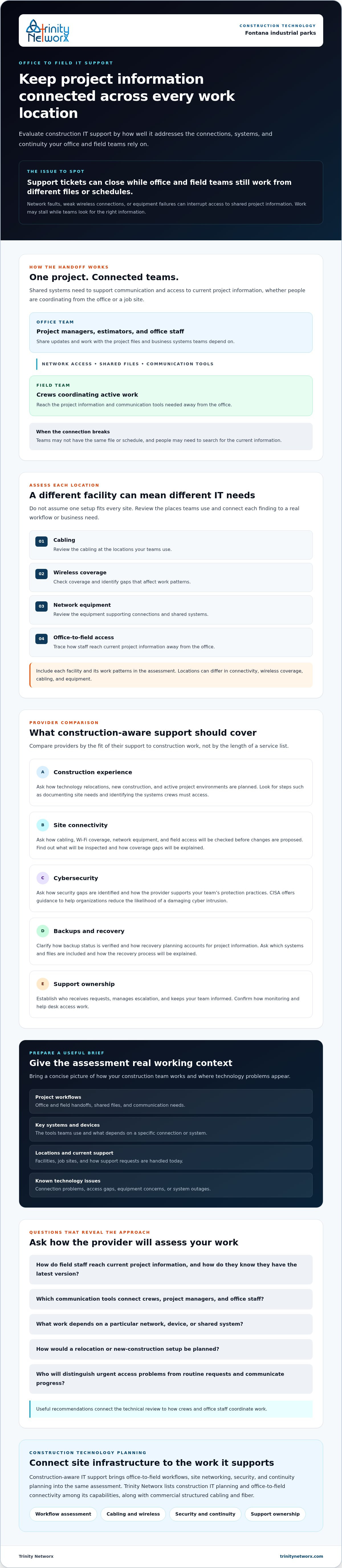
Choosing IT support for businesses in industrial parks in Fontana starts with what your crews and office need to keep moving: project information, communication, and access to business systems. Assess each location separately, then connect recommendations to real construction workflows.
Compare providers on construction experience, site networking, cybersecurity, backup and recovery, and clear support ownership. Bring a brief covering locations, key systems, current support, recurring issues, and planned projects. If your work also spans California, Nevada, Arizona, or Utah, include those sites so the conversation reflects your full operating environment.
Trinity Networx lists construction IT planning and office-to-field connectivity among its capabilities, along with 24/7/365 remote network monitoring. A focused review can help identify where your current setup supports project coordination and where it needs attention.
Discuss your construction IT needs with the team and review the technology your projects rely on.
Choose IT services based on the systems your crews need to coordinate work. Managed IT and cybersecurity support business systems and security, while data backup and recovery help protect access to important information if systems are disrupted. Commercial cabling, fiber, and Wi-Fi address site connectivity. Cloud computing or business VoIP may also fit, depending on your company’s workflows and how teams communicate.
IT support for businesses in industrial parks in Fontana should account for how project information moves between the office and field. A provider can assess site cabling, wireless coverage, equipment, and connections, then identify issues affecting access to shared files or communication tools. Ask how recommendations will support your actual project workflows, not just office technology.
Choose managed IT if you need an external provider to handle agreed technology support responsibilities. Co-managed IT may fit a company with internal IT staff that wants a provider to share specific work. Before deciding, define who handles user requests, network issues, cybersecurity, backups, and recovery. Clear ownership helps prevent gaps when office or field teams need support.
Ask for examples of construction IT planning, relocations, new-construction setups, and office-to-field connectivity. Find out how the provider assesses cabling, Wi-Fi, equipment, security, and backups, and clarify help desk access and escalation. Confirm what monitoring includes and how backup status and recovery plans are reviewed. Discuss your construction IT needs with the team.

Article by
Lance Reichenberger, Ph.D.., J.D. (Candidate)
Dr. Lance Reichenberger is the founder of Trinity Networx, a Southern California technology firm specializing in managed IT services, cybersecurity, network infrastructure, and business technology strategy. With nearly four decades of experience in the IT industry, he works with businesses to improve operational efficiency, strengthen security, and align technology with long-term growth objectives.
Lance focuses on proactive IT management, enterprise wireless infrastructure, cybersecurity integration, and scalable technology solutions for growing organizations throughout Southern California.
The content published on this website is provided for general informational and educational purposes only. Articles may be created, edited, or enhanced with the assistance of artificial intelligence and automation tools under the direction and review of Trinity Networx. While every effort is made to ensure accuracy and relevance, the information provided should not be considered professional, legal, financial, cybersecurity, or technical advice specific to your organization. Businesses should consult directly with a qualified professional regarding their unique environment, compliance requirements, and operational needs. Trinity Networx makes no warranties regarding completeness, reliability, or applicability of the information contained within these articles.
Schedule a brief conversation with Trinity Networx to discuss your business technology needs.
Get a practical roadmap built around your business, your users, your systems, and the technology issues that need attention first.
Put the right technology, support, security, and infrastructure in place so your business can grow, adapt, and move forward with confidence.

