

3281 E. Guasti Rd, STE 700, Ontario, CA 91761
1712 9th Ave SW, Watertown, SD 57201
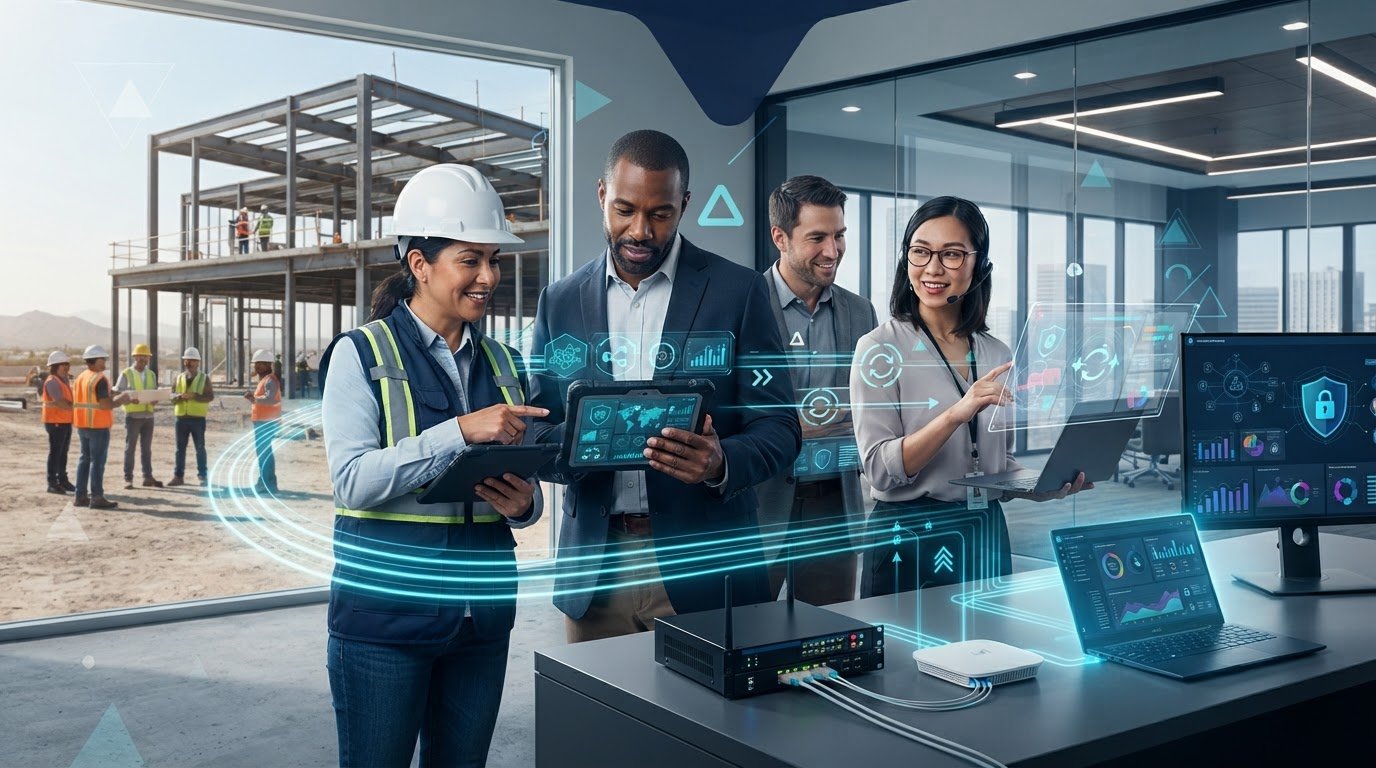
Property management software can be available while construction teams are still locked out. A weak jobsite connection, device fault, or account problem can interrupt access to property and project workflows even when the application is running normally. IT support for property management software like Yardi needs to address the technology around the platform, not just the software.
Office and field teams use different devices, networks, and work routines, so an outage can have several possible causes. A sign-in problem may be tied to an account or device. If several people at one jobsite lose access, the local connection may be involved. Construction-focused IT support helps diagnose the issue, coordinate with the software vendor when needed, and protect the systems and business data behind daily work. Managed IT, office-to-field connectivity, cybersecurity, and vendor liaison can help reduce disruption across construction operations.
• Map who needs access, which devices they use, and where jobsite connectivity could fail before disruptions affect construction work.
• IT support for property management software like Yardi can help protect the network, devices, accounts, and data behind daily workflows.
• Set an escalation path that separates application questions from device, account, network, security, and backup issues.
• Managed IT, cybersecurity, backup and recovery, and vendor liaison can help keep construction property operations moving.
Property management software supports records and day-to-day property operations, but construction teams also rely on the technology around it. IT support covers user access, computers and mobile devices, networks, cybersecurity, and data protection. The general Property Management System category includes tools used to manage real estate operations. Keeping those tools reachable from an office and active jobsites requires attention to the wider IT environment.
The software handles its functions; the IT environment connects authorized people, devices, and data to it. If a field team loses network access or a staff member can’t sign in, work may stall even when the application is functioning. Delays can affect construction coordination, property records, tenant communication, and project administration. IT support for property management software like Yardi focuses on the systems around the application rather than assuming every interruption starts in the software.
Office and field teams may use different devices and connect through different networks. A weak jobsite connection can stop a team member from reaching a needed record. An account issue or device fault can interrupt a time-sensitive handoff. Those symptoms call for a step-by-step investigation, not guesswork.
Start by identifying who is affected and where. If one person can’t sign in, check the account and device. If several users at one location lose access, examine the jobsite connection. Support can distinguish infrastructure faults, such as network or endpoint problems, from questions about application behavior. When the issue points to the software, vendor liaison helps coordinate with the line-of-business application provider while IT investigates connectivity, devices, accounts, or data access. Trinity Networx, LLC’s managed IT services support the technology behind construction workflows.
Need help connecting office and field technology? Contact Trinity Networx, LLC to discuss IT support for your construction operations.
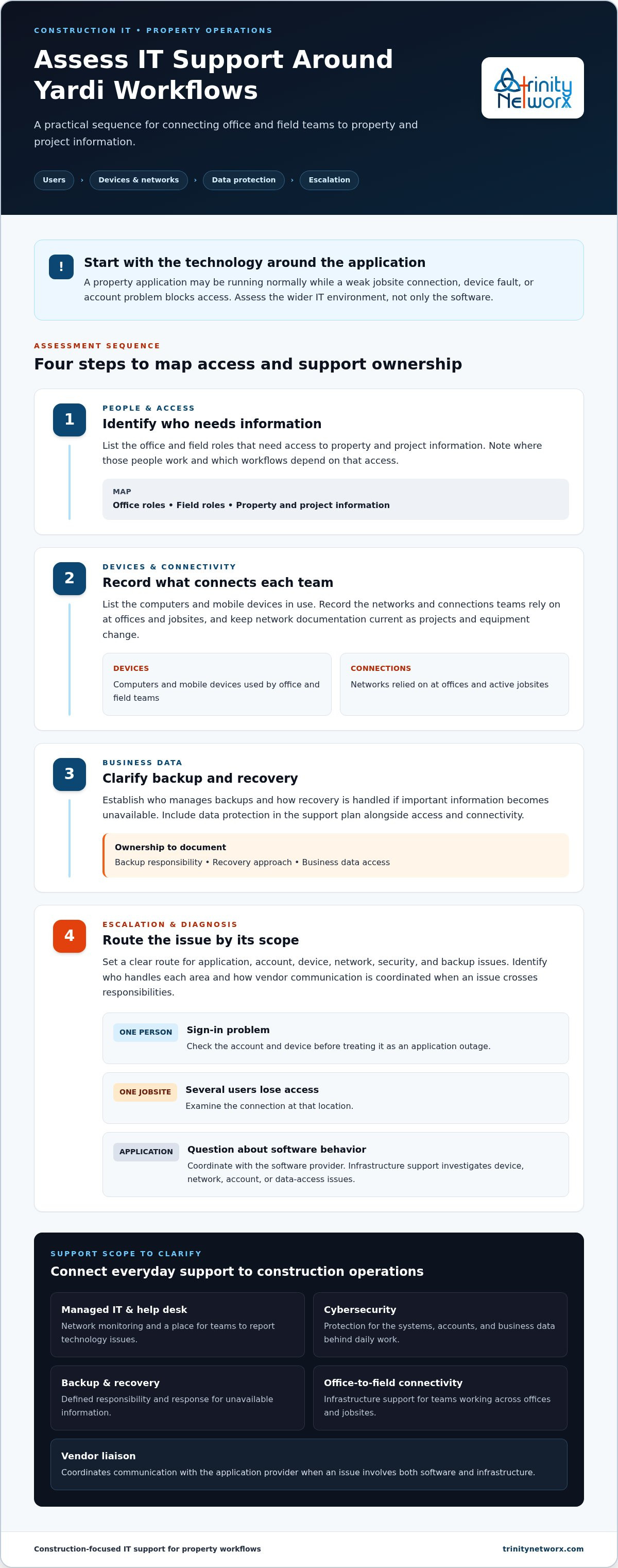
Assess the environment around the software, not just the application. Begin with the people who need access. Then document the office and field devices they use, the networks those devices depend on, and how business data is protected. Finally, define who owns each support issue and how it gets escalated. This gives construction leaders a practical way to evaluate IT support for property management software like Yardi.
Identify which office and field roles need access to property and project information.
List the computers and mobile devices in use, and record the connections teams rely on at offices and jobsites.
Clarify who manages backups and how recovery is handled.
Set a clear route for application, account, device, network, security, and backup issues.
Use the scope of an issue to guide the investigation. If one person can’t sign in, check the account and device before treating it as an application outage. If several users at one jobsite lose access, examine that location’s connection. Questions about application behavior can go to the software vendor; device, network, or backup faults need infrastructure support. Vendor liaison can coordinate communication when the issue crosses both areas.
Document ownership for network monitoring, help desk requests, cybersecurity, backups, and vendor communication. Keep network documentation current so teams can understand how offices, jobsites, devices, and connections relate. Regular reviews can account for project changes, new users, and equipment updates before they complicate support. Trinity Networx, LLC provides construction IT services and managed IT services for business technology environments.
To clarify support ownership across your construction operations, talk with Trinity Networx, LLC.
Property software depends on more than a working application. Construction teams also need reliable networks, managed devices, secure accounts, and protected business data across offices and jobsites. IT support for property management software like Yardi brings these needs together through managed IT, cybersecurity, backup and recovery, and office-to-field connectivity.
Network monitoring and help desk support give teams a place to report technology issues. Infrastructure support addresses the networks and equipment behind daily access. If an application issue needs the software provider’s attention, Trinity Networx, LLC can serve as a vendor liaison for line-of-business applications, coordinating communication without claiming control over the software itself.
Support needs to reflect how construction operations change. A new jobsite may need planned connectivity; an office move can call for technology relocation; a new-construction environment benefits from IT planning before teams depend on it. Planning for these changes helps keep property workflows connected as projects and locations shift.
Data protection matters as much as access. Defined backup and recovery practices help prepare a business to respond if important information becomes unavailable. Learn more about business data backup and recovery for the systems construction teams rely on.
With managed IT and construction-specific planning, teams can address the technology environment around their property workflows and coordinate application issues with the appropriate vendor. Talk with the construction IT team about your organization’s needs.
Property management software depends on the IT environment around it. Clear ownership for user access, devices, connectivity, security, backups, and vendor escalation helps teams respond with less guesswork when a workflow stalls. IT support for property management software like Yardi should account for the connection between office systems and active jobsites, rather than treating every fault as an application problem.
Trinity Networx, LLC brings construction-focused planning for office-to-field connectivity, 24 × 7 × 365 remote network monitoring, and Datto-powered backup and recovery to the technology supporting property operations. These services help teams maintain oversight of their systems and prepare to recover business data if it becomes unavailable. For construction teams operating across California, Nevada, Arizona, and Utah, contact the team to discuss construction-focused IT support and set priorities for your operation. A clear support plan helps property and construction teams keep work moving with confidence.
Yes. An IT provider can support the networks, devices, user access, security, and backups around Yardi while the software vendor handles application-specific questions. Construction-focused IT support investigates infrastructure issues and can coordinate with the vendor when a problem crosses both areas. IT support for property management software like Yardi complements vendor support; it doesn’t replace it.
Review how office and field teams access systems, which devices they rely on, and how networks are monitored. Assess cybersecurity and backup practices, too. Then clarify who owns each escalation and how support coordinates with the software vendor. These responsibilities affect whether project teams can access business information and keep property and construction workflows moving.
Managed IT can support the connections, devices, and support processes teams depend on to reach business systems. Construction-focused office-to-field connectivity belongs in IT planning, especially as projects and work locations change. For teams operating across California, Nevada, Arizona, and Utah, assess the network needs of each office and jobsite as part of that planning.
Record the error, when it began, who is affected, and which locations are involved. Check whether users can reach other business systems and whether the issue is limited to a device or network connection. Ask IT to investigate the surrounding infrastructure. Escalate application-specific errors to the software vendor, and coordinate the investigation when evidence points to both the application and IT environment.

Article by
Lance Reichenberger, Ph.D.., J.D. (Candidate)
Dr. Lance Reichenberger is the founder of Trinity Networx, a Southern California technology firm specializing in managed IT services, cybersecurity, network infrastructure, and business technology strategy. With nearly four decades of experience in the IT industry, he works with businesses to improve operational efficiency, strengthen security, and align technology with long-term growth objectives.
Lance focuses on proactive IT management, enterprise wireless infrastructure, cybersecurity integration, and scalable technology solutions for growing organizations throughout Southern California.
The content published on this website is provided for general informational and educational purposes only. Articles may be created, edited, or enhanced with the assistance of artificial intelligence and automation tools under the direction and review of Trinity Networx. While every effort is made to ensure accuracy and relevance, the information provided should not be considered professional, legal, financial, cybersecurity, or technical advice specific to your organization. Businesses should consult directly with a qualified professional regarding their unique environment, compliance requirements, and operational needs. Trinity Networx makes no warranties regarding completeness, reliability, or applicability of the information contained within these articles.
Schedule a brief conversation with Trinity Networx to discuss your business technology needs.
Get a practical roadmap built around your business, your users, your systems, and the technology issues that need attention first.
Put the right technology, support, security, and infrastructure in place so your business can grow, adapt, and move forward with confidence.

