

3281 E. Guasti Rd, STE 700, Ontario, CA 91761
1712 9th Ave SW, Watertown, SD 57201
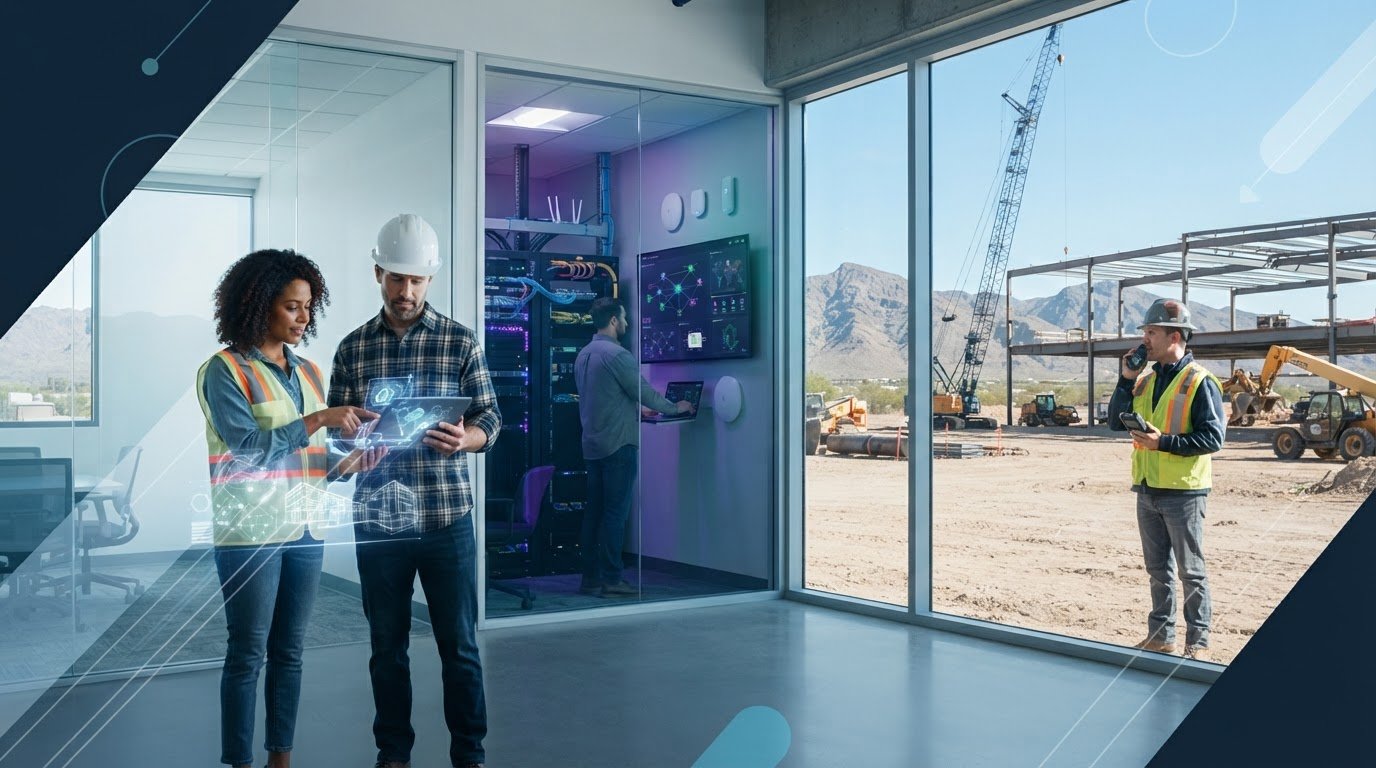
What happens when the latest project file is in the office, but the crew needs it on site? That’s the pressure behind managed cloud solutions for small business construction teams. Staff need dependable access to current business information wherever work is happening. When systems go down, coordination can stall with them.
Construction firms shouldn’t have to choose between field access and protecting project data. This article explains how managed cloud services can connect office and field teams, support data protection through backup and recovery, and reduce the burden of managing cloud infrastructure internally. You’ll also learn why cloud planning should fit project workflows, existing systems, and business continuity needs. The goal is straightforward: keep work moving and information within reach with construction-focused IT expertise.
• Managed cloud solutions for small business construction teams pair cloud access with ongoing oversight and data protection for project files and business applications.
• Map office and field workflows first to identify critical systems, access needs, and connectivity gaps before planning cloud changes.
• Cloud hosting alone isn’t a recovery plan. Monitoring, backup checks, and recovery planning help protect construction operations when systems are disrupted.
• Plan cloud changes around active project work and business continuity. Contact Trinity Networx, LLC to discuss construction-focused IT support.
For a small construction firm, cloud service is more than storing files online. Managed cloud solutions for small business pair cloud systems with ongoing oversight, technical support, and data protection. A managed services provider helps oversee the technology behind access to project documents and business applications. The managed services model describes this third-party role.
That distinction matters on a live job. An office coordinator may update a schedule while a field supervisor needs the current drawing or project record. Cloud-hosted files and applications can make information available across locations, but the devices and network connections employees use to reach them are separate parts of the setup. A cloud account alone won’t fix weak site connectivity or decide who should see sensitive project information.
Cloud access can help field staff retrieve project files, let office teams work with shared construction applications, and give both sides a place to coordinate updates. The right setup depends on how crews, project managers, and administrative staff exchange information. Trinity Networx, LLC provides construction-focused IT services that connect cloud planning with office-to-field work.
Cloud services still require deliberate management. User access needs review; security settings need attention; backups need verification; and recovery plans need to account for the systems construction operations rely on. Hosting data in the cloud does not, by itself, establish who can access it or how the business will restore operations after disruption.
Construction-focused cloud planning should account for project workflows, field connectivity, and the business systems crews need to keep work coordinated. Contact Trinity Networx, LLC to discuss cloud planning for your construction operations.
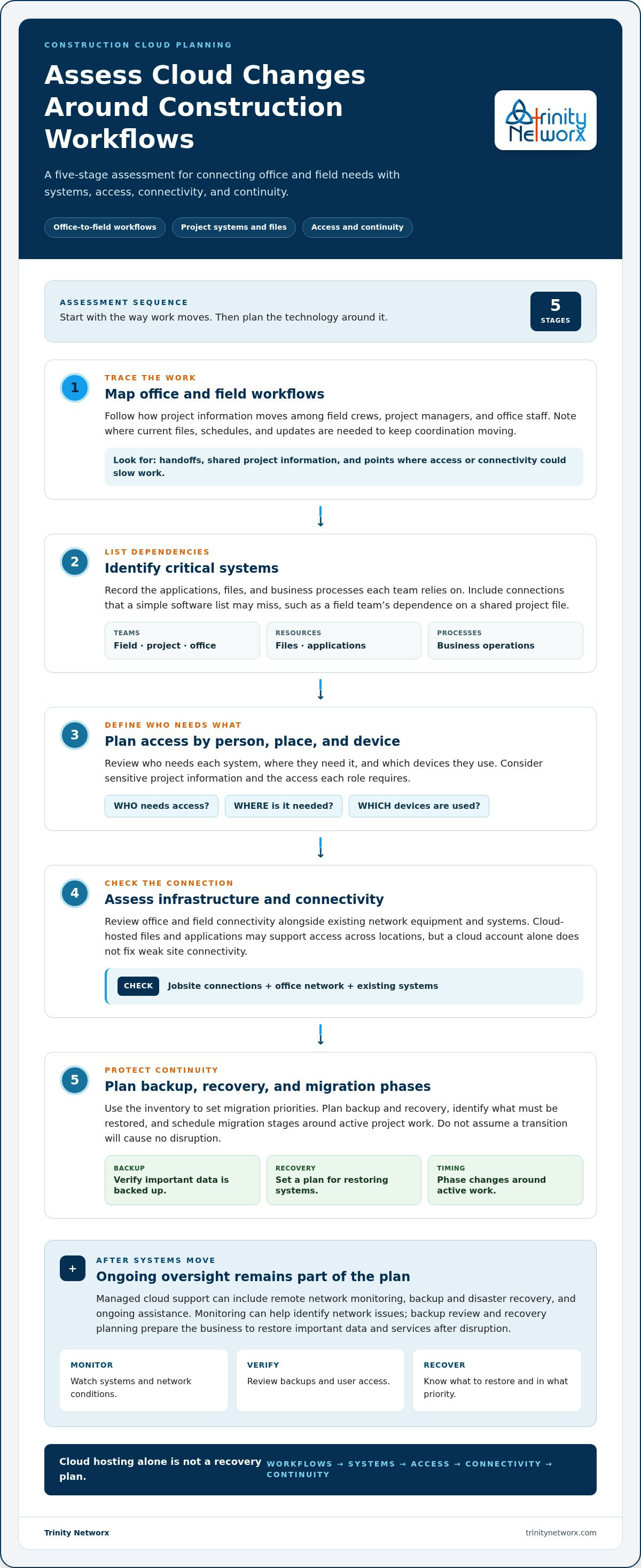
Assess managed cloud solutions for small business against the way your construction team works, not just a list of technical features. A project manager may need current files from a jobsite while accounting staff rely on separate business applications at the office. Start by identifying those dependencies and the points where access or connectivity could slow coordination. The NIST definition of cloud computing offers a technical baseline for understanding cloud services.
Trace how project information moves between field crews, project managers, and office staff.
Record the applications, files, and business processes each team depends on.
Review who needs each system, from which locations, and on what devices.
Assess office and field connectivity alongside existing network equipment and systems.
Plan backup and recovery, then schedule migration stages around active project work.
Build an inventory of applications, project information, users, and locations that depend on each system. That view can reveal connections a simple software list misses, such as a field team’s reliance on a shared project file or an office process tied to a specific application. Use the inventory to set migration priorities and plan access during each phase. Changes may require coordination with active work, so avoid assuming the transition will cause no disruption.
Trinity Networx’s cloud and Azure services connect cloud planning with construction IT needs. To discuss a migration plan built around your workflows, contact the construction IT team.
A cloud account can keep files and applications available, but availability alone doesn’t protect a construction business from disruption. Teams still need clear user access practices, monitored systems, verified backups, and a recovery plan that identifies which operations to restore first. If project staff can’t reach current information or office systems stop working, coordination can slow quickly.
For construction firms, continuity planning should reflect how work moves between the office and active sites. Managed cloud support brings ongoing technical oversight to those systems, helping reduce the internal burden of keeping infrastructure and data protection in order. That is where managed cloud solutions for small business become an operational decision, not simply a place to store files.
After systems move, support can include remote network monitoring, backup and disaster recovery, and ongoing assistance with the technology construction teams rely on. Monitoring can help identify network issues, while backup review and recovery planning prepare the business to restore important data and services after disruption. Cloud hosting itself doesn’t determine who has access or how recovery should work.
Trinity Networx, LLC supports commercial construction firms and subcontractors with construction-focused IT planning and office-to-field connectivity. Its Southern California team pairs that industry focus with business IT services. Explore business data backup and recovery as part of a continuity plan built around project operations.
Keep the plan tied to real work: which systems crews and office staff need, what data must be restored, and how access is managed. Discuss your construction IT needs with Trinity Networx, LLC.
For construction teams, managed cloud solutions for small business should do more than place systems online. A sound approach starts with project workflows, office and field access, and the information teams need to keep work coordinated. Ongoing management matters too. Cloud hosting alone doesn’t set access rules or prepare the business to recover from disruption.
Trinity Networx brings construction-focused IT planning and office-to-field connectivity together with 24 × 7 × 365 remote network monitoring. Cloud backup, disaster recovery, and business continuity services help protect the systems and data your crews and office staff depend on. The result is a technology plan built around construction operations, not a generic cloud setup.
Take the next step with a partner that understands the demands of construction work. Discuss managed cloud support for your construction business, and move forward with a plan designed to keep your teams connected and prepared.
Managed cloud solutions for small business construction teams combine cloud-hosted systems with ongoing management, monitoring, and data protection. They can give authorized office and field staff access to business applications and project information, subject to system setup and connectivity. The right arrangement depends on the company’s systems, user needs, and construction workflows. For firms operating across California, Nevada, Arizona, or Utah, location needs belong in planning.
Yes, construction teams can access supported business files and applications from the field through cloud services over an internet connection. Access depends on system configuration, user permissions, and connectivity at the work location. Availability isn’t guaranteed simply because files are cloud-hosted, so assess jobsite locations and field work patterns before setting access expectations.
Managed cloud services help protect construction business data through planned backups, data protection measures, system monitoring, and disaster recovery arrangements. Backup verification helps confirm recovery resources are available, while a recovery plan identifies the systems and information the business must restore to resume work. Cloud hosting alone doesn’t replace that plan. Align backup and recovery with operational priorities.
Potential disruption depends on the systems involved, the migration scope, and the timing. Before planning a move, identify critical applications, users, and active workflows, such as project teams relying on shared files during ongoing work. Phasing changes around those needs can help manage operational impact. No migration plan should assume zero downtime; construction-aware planning helps teams prepare for change.

Article by
Lance Reichenberger, Ph.D.., J.D. (Candidate)
Dr. Lance Reichenberger is the founder of Trinity Networx, a Southern California technology firm specializing in managed IT services, cybersecurity, network infrastructure, and business technology strategy. With nearly four decades of experience in the IT industry, he works with businesses to improve operational efficiency, strengthen security, and align technology with long-term growth objectives.
Lance focuses on proactive IT management, enterprise wireless infrastructure, cybersecurity integration, and scalable technology solutions for growing organizations throughout Southern California.
The content published on this website is provided for general informational and educational purposes only. Articles may be created, edited, or enhanced with the assistance of artificial intelligence and automation tools under the direction and review of Trinity Networx. While every effort is made to ensure accuracy and relevance, the information provided should not be considered professional, legal, financial, cybersecurity, or technical advice specific to your organization. Businesses should consult directly with a qualified professional regarding their unique environment, compliance requirements, and operational needs. Trinity Networx makes no warranties regarding completeness, reliability, or applicability of the information contained within these articles.
Schedule a brief conversation with Trinity Networx to discuss your business technology needs.
Get a practical roadmap built around your business, your users, your systems, and the technology issues that need attention first.
Put the right technology, support, security, and infrastructure in place so your business can grow, adapt, and move forward with confidence.

