

3281 E. Guasti Rd, STE 700, Ontario, CA 91761
1712 9th Ave SW, Watertown, SD 57201
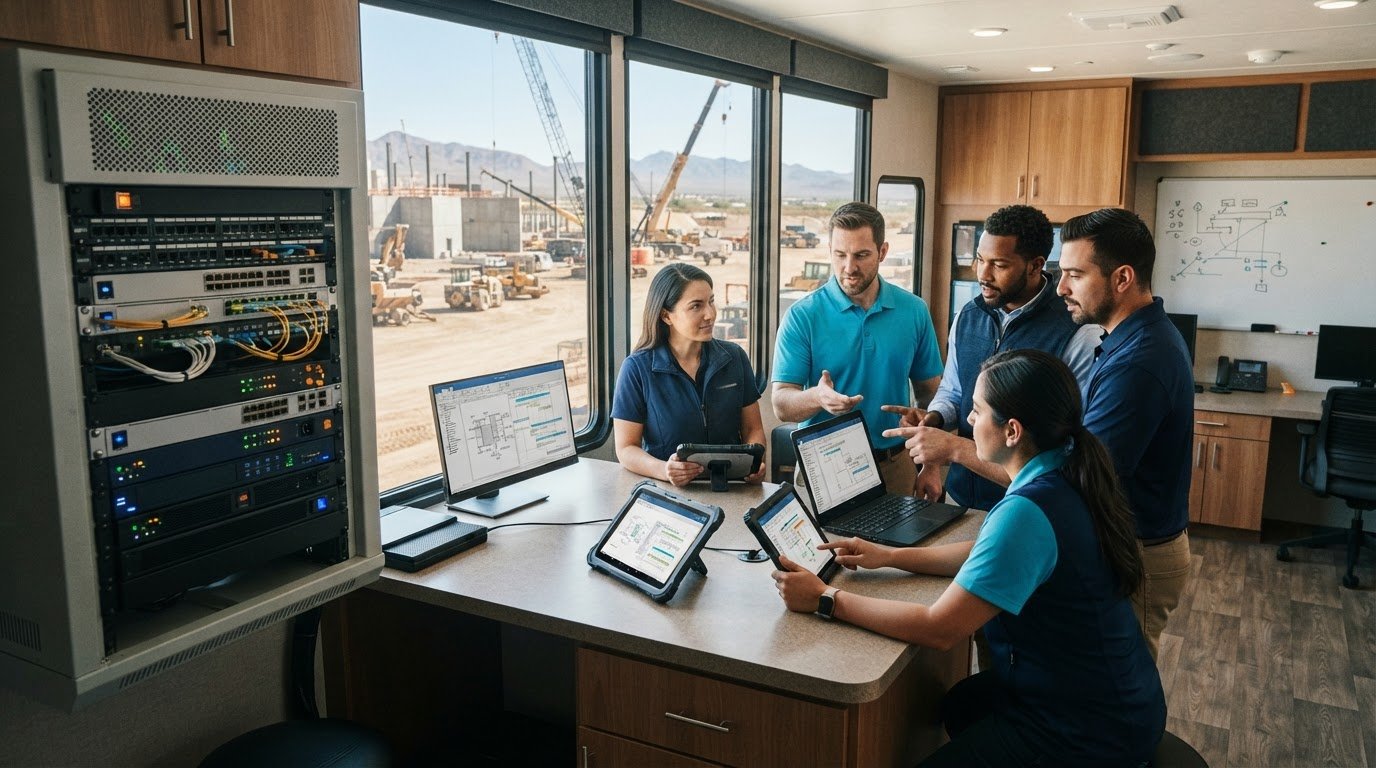
A dead network connection in a jobsite trailer halts work just as fast as a mechanical breakdown on an excavator. When field tablets cannot sync daily logs during a major concrete pour, or an office server stalls during bid submissions, projects bleed cash. Treating digital infrastructure like critical field equipment and preventing IT issues before they cause downtime is the only way to protect your project schedules.
You already know that waiting for a superintendent to report a dropped connection burns payroll and stalls subcontractors. You need systems that stay up without constant firefighting. In this article, you will learn how proactive technical management stops jobsite network outages and protects project schedules. We examine the continuous monitoring standards, field sync protocols, and hardware safeguards that keep your teams building without interruption.
• Identify how extreme dust, heat, and erratic generator power quietly destroy jobsite trailer hardware.
• Apply a disciplined inspection checklist focused on preventing IT issues before they cause downtime across active projects.
• Defend field-to-office data syncs and project schedules against costly delays through proper power conditioning and rapid virtualization.
• Eliminate surprise repair bills and emergency field calls by replacing reactive IT support with continuous network operations monitoring.
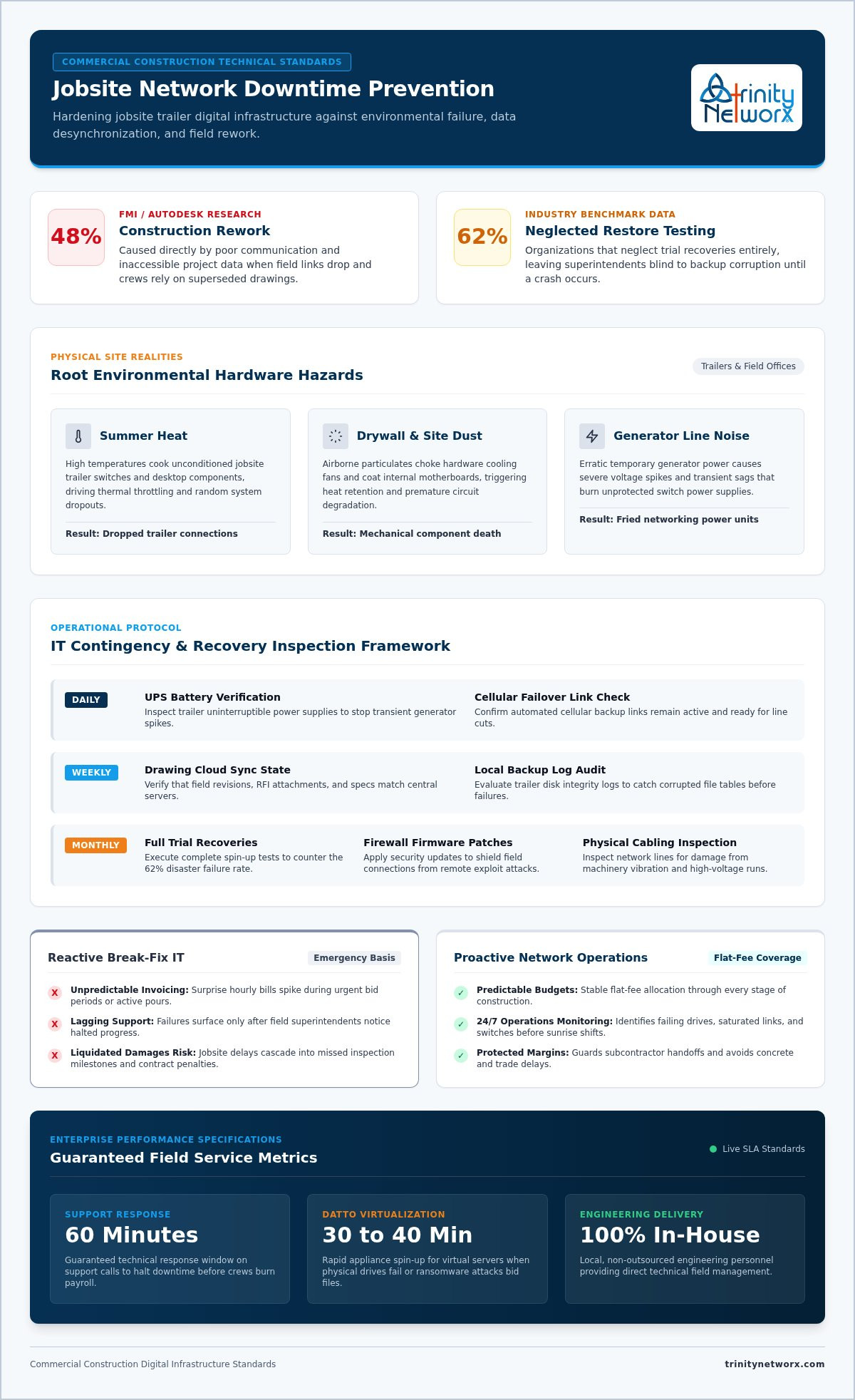
In commercial construction, downtime is not just an idle computer screen. It is a field stoppage where concrete trucks wait on unconfirmed pour specs, framing crews stand around, and subcontractors dispute superseded scope sheets. Construction sites operate under brutal physical conditions. Fine drywall dust chokes desktop cooling fans, summer heat cooks trailer network switches, and erratic generator feeds trigger voltage spikes that fry unconditioned power supplies. Technical studies show that unplanned system downtime stems heavily from these physical environmental failures. Construction managers succeed by preventing IT issues before they cause downtime, treating jobsite networking like essential production machinery rather than an afterthought.
When a temporary trailer link drops, superintendents lose access to central building plans, inspection sign-offs, and urgent RFIs. Field personnel keep working anyway, often relying on locally cached sheets that lack critical revisions. Research from Autodesk and FMI shows that poor communication and inaccessible project data cause 48% of construction rework. Installing electrical conduit or mechanical ductwork from outdated drawings triggers immediate schedule slips and contract penalties. Maintaining reliable connections requires dedicated commercial construction IT services designed to harden trailer connections against jobsite interference. Actively preventing IT issues before they cause downtime keeps field superintendents synchronized with central offices, protecting projects from costly rebuilds.
Field teams need systematic operational habits rather than reactionary repairs. Setting strict routines ensures equipment survives rough jobsite environments. Following established IT contingency and recovery guidelines gives construction operations the framework needed to isolate faults before work stops.
Inspect trailer uninterruptible power supply (UPS) batteries. Generator line noise and transient spikes slowly kill unprotected network switches. Confirm cellular failover links stand ready.
Verify cloud sync states for project drawings. Test local backup logs to catch corrupted file tables early.
Run complete trial recoveries. Benchmark data shows 62% of commercial organizations neglect restore testing, leaving teams blind until disaster hits.
Preventing IT issues before they cause downtime demands hands-on inspection of physical links and firmware. Field teams should verify external enclosures monthly and follow disciplined proactive maintenance routines to patch firewalls against remote exploit attempts. Trailer network gear also requires proper installation. Running drops according to clean structured cabling standards eliminates signal degradation caused by heavy equipment vibration and nearby high-voltage power runs. If your active jobsites still battle intermittent drops or unverified backups, reach out to Trinity Networx to establish proven hardware safeguards across every trailer.
Unpredictable tech bills wreck project estimates. When general contractors lean on outdated break-fix support, emergency hourly invoices pile up right as a field superintendent faces a stalled build. Flat-fee managed agreements remove that volatility entirely. Budgeting stays predictable across every phase of the job. Around-the-clock network operations monitoring spots failing hard drives, saturated wireless bridges, and dropped switches before crews report to the trailer at sunrise. Preventing IT issues before they cause downtime shields contractors from liquidated damages caused by missed inspection milestones or delayed subcontractor handoffs.
Field emergencies demand immediate, expert intervention. Trinity Networx backs commercial builds with a guaranteed 60-minute response time on technical support calls. Our 100 percent in-house, local engineering team handles issues directly with zero overseas outsourcing. When hardware dies or ransomware targets bid files, Datto continuity appliances spin up virtual servers in 30 to 40 minutes, getting estimating departments and field personnel back online immediately. Preventing IT issues before they cause downtime requires true enterprise preparation. To safeguard your active jobsites, reach out to the team for an in-depth infrastructure assessment.
Unchecked hardware failures and disconnected trailers directly threaten your project milestones. Protecting field margins requires treating jobsite networks as mission-critical equipment. By auditing power protection daily, running verified trial restores, and actively preventing IT issues before they cause downtime, commercial builders keep crews working and schedules intact.
Trinity Networx delivers specialized construction technology support directly to your operations. Recognized in CIO Review 20 Most Promising IT Services Companies 2019, our 100 percent in-house technical team operates with zero overseas outsourcing. We back your projects with a guaranteed 60-minute response time on support calls and complete server virtualization within 30 to 40 minutes. Contact Trinity Networx to protect your jobsites from IT downtime and build with total confidence.
Continuous remote monitoring identifies degrading hardware, thermal spikes, and signal drops before field devices disconnect. Network operations centers track switches and cellular failovers across Arizona and regional builds around the clock. Catching packet loss early stops trailer networks from crashing during critical pours, proving that preventing IT issues before they cause downtime is far cheaper than emergency repairs.
Yes, airborne drywall dust and intense desert heat collect inside trailer switches and desktop equipment, triggering sudden thermal shutdowns. Unsealed hardware quickly suffocates without filtered airflow, while regional summer storms produce generator power surges that fry sensitive circuits. Installing sealed industrial enclosures and line-interactive power conditioning protects delicate electronics against harsh environmental conditions on commercial jobsites.
Work stops immediately when superintendents and subcontractors lose access to updated drawings, digital RFIs, and cloud management tools. With legacy break-fix services, rebuilds can take days. With modern Datto continuity appliances, our in-house technicians spin up complete virtual copies of damaged servers in 30 to 40 minutes, restoring access before crews lose momentum.
A flat-fee IT agreement replaces erratic hourly repair invoices with a predictable monthly operational cost aligned to your building phases. Break-fix contractors profit from recurring failures. Conversely, all-inclusive support agreements incentivize technicians to focus on preventing IT issues before they cause downtime, stabilizing project technology expenses across California, Nevada, Arizona, and Utah jobsites.

Article by
Lance Reichenberger, Ph.D.., J.D. (Candidate)
Dr. Lance Reichenberger is the founder of Trinity Networx, a Southern California technology firm specializing in managed IT services, cybersecurity, network infrastructure, and business technology strategy. With nearly four decades of experience in the IT industry, he works with businesses to improve operational efficiency, strengthen security, and align technology with long-term growth objectives.
Lance focuses on proactive IT management, enterprise wireless infrastructure, cybersecurity integration, and scalable technology solutions for growing organizations throughout Southern California.
The content published on this website is provided for general informational and educational purposes only. Articles may be created, edited, or enhanced with the assistance of artificial intelligence and automation tools under the direction and review of Trinity Networx. While every effort is made to ensure accuracy and relevance, the information provided should not be considered professional, legal, financial, cybersecurity, or technical advice specific to your organization. Businesses should consult directly with a qualified professional regarding their unique environment, compliance requirements, and operational needs. Trinity Networx makes no warranties regarding completeness, reliability, or applicability of the information contained within these articles.
Schedule a brief conversation with Trinity Networx to discuss your business technology needs.
Get a practical roadmap built around your business, your users, your systems, and the technology issues that need attention first.
Put the right technology, support, security, and infrastructure in place so your business can grow, adapt, and move forward with confidence.

