

3281 E. Guasti Rd, STE 700, Ontario, CA 91761
1712 9th Ave SW, Watertown, SD 57201

An office can choose a secure messaging app and still lose staff communication when construction changes its network. The app is only one part of the system. Secure messaging solutions for doctors offices also depend on reliable connectivity, managed access, and a plan for keeping teams connected as cabling, Wi-Fi, or network equipment moves.
Convenience alone does not show whether a messaging option fits a practice’s privacy and operational needs. This guide offers a practical way to compare messaging features and plan for the network changes that come with a build-out or renovation. Map staff workflows, device locations, wireless coverage, and cabling before construction starts. Those steps help practices in California, Nevada, Arizona, and Utah prepare for technology moves and check communication workflows in the changed space.
• Compare secure messaging solutions for doctors offices by reviewing encryption, authentication, work and personal account separation, recordkeeping, administration, and device access.
• Assess messaging features against your office’s privacy and operational needs before construction or renovation changes the technology setup.
• Map communication workflows and network dependencies early so planned technology changes don’t catch staff off guard.
• Coordinate low-voltage cabling and network planning with construction work, then test key communication workflows in the prepared office.
A messaging app is only one part of a dependable communications setup. Secure messaging provides a controlled channel for work conversations, with access managed through the software and the devices staff use. Ordinary texts on personal phones may not provide the same clear separation between work communication and personal activity. Secure messaging solutions for doctors offices need to fit the office’s privacy practices and the network carrying each message.
HIPAA provides a framework for protecting health information; this HIPAA overview offers background on the law. Messaging software and office infrastructure have separate roles. Software may manage user access and message records, while the network and devices provide the connection and endpoint. An app cannot compensate for unreliable connectivity, poorly managed devices, or unclear staff access during a renovation.
Construction may move equipment, shift work into temporary rooms, or alter network connections. Staff might need access from different locations while familiar work areas are unavailable. These are planning considerations, not a prediction that an outage or security incident will occur.
Start by mapping where staff will work and which devices and network connections they will rely on. Coordinate technology relocations, office connectivity, and low-voltage cabling with the construction schedule. Before equipment moves, identify communication needs for each work area. Once the space is ready, test whether staff can complete routine messaging tasks from their planned locations.
Trinity Networx, LLC provides construction-focused IT planning and low-voltage cabling for office technology changes. Learn about construction IT planning.
Assess each messaging option against the spaces and network conditions the construction project will create. A feature that works at reception may not serve staff using a temporary room or relocated workstation. Compare secure messaging solutions for doctors offices against actual devices, connection points, staff roles, and communication workflows. Official HHS guidance can inform security planning as office technology changes.
| Feature | Construction-focused assessment |
|---|---|
| Encryption | Review message protection across the connections and devices planned for the changed office. |
| Authentication | Check how staff verify identity when working from temporary or relocated areas. |
| Work and personal separation | Assess whether construction-related device moves preserve clear boundaries for work use. |
| Records | Determine how message history and audit activity remain accessible through technology changes. |
| Administration | Review how staff access can be updated as roles or work locations shift. |
| Device access | Check supported devices and notification settings in each planned workspace. |
Begin with an access map. Who needs messages in each work area? Which device and network connection will each person use? Document how identities are verified and how permissions are updated when staff assignments change. Then review retention, audit visibility, and notification previews on devices that may be relocated. Test the workflows in the changed space, not only at the original workstations.
Connect these checks to network readiness and device placement. Trinity Networx, LLC provides cybersecurity services as part of wider security planning, while its construction IT planning accounts for the office technology around the project. Read about construction IT planning.
Keep communication planning on the construction schedule rather than treating it as a separate technology task. Before walls, work areas, or network connections change, map how staff send essential messages and what each workflow depends on. This gives the project team a clear view of the devices, connections, and access arrangements that need attention as the office changes.
Start with the people and the work. Identify staff roles, approved devices, network dependencies, and essential communication workflows. Document them in a format the construction and IT teams can use together. Plan technology moves and connectivity work against the construction sequence so temporary work areas and equipment changes are included.
Record who needs to reach whom and through which work channels.
Note the devices, network connections, and access each workflow relies on.
Coordinate technology relocations and low-voltage cabling with the construction schedule.
Before relying on a changed setup, check that staff can complete routine communication tasks from their planned work areas.
This sequence helps the practice assess whether its planned secure messaging solutions for doctors offices fit the changed environment. Construction-focused IT planning can account for cabling routes, office connectivity, and equipment placement as part of the project, rather than leaving those dependencies until spaces are finished. Trinity Networx, LLC supports commercial construction IT projects with technology planning and relocations, including low-voltage cabling.
For a build-out or renovation, include communication needs in the project plan from the start.
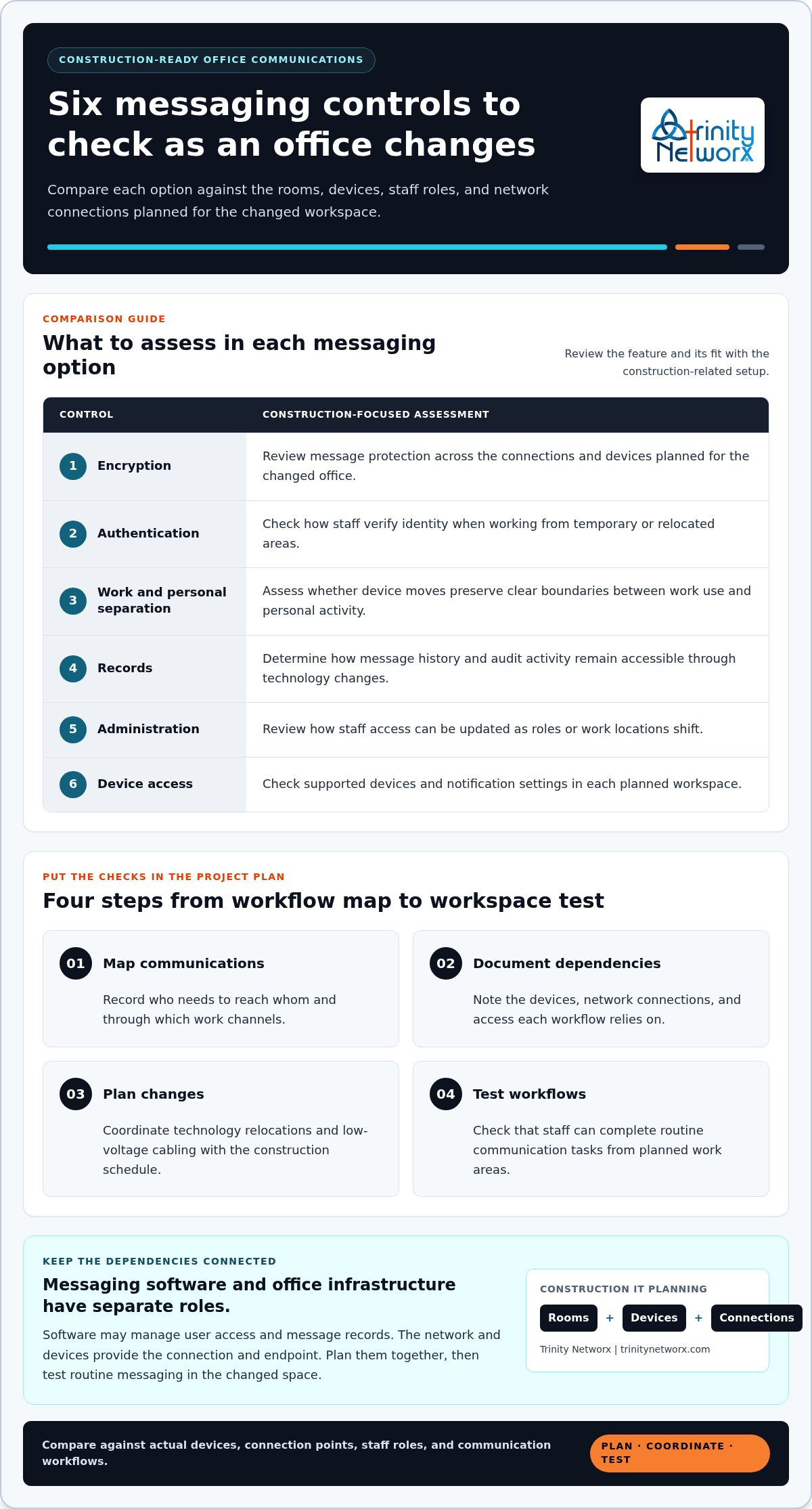
Secure messaging solutions for doctors offices depend on more than an app. Compare access, records, and device controls against your practice’s needs, then test staff workflows in the spaces and network conditions created by construction.
Bring technology relocations and low-voltage cabling into the construction plan early. Trinity Networx, LLC provides construction-focused IT planning and network services, with 24 × 7 × 365 monitoring from its Southern California Network Operations Centre.
Planning an office build-out or renovation? Contact Trinity Networx, LLC to discuss your construction IT and connectivity needs.
Don’t assume ordinary SMS fits your practice’s privacy needs, especially during construction changes. Staff may move between permanent and temporary work areas, use different devices, or rely on altered network connections. Plan which communication channels staff should use at each stage of the project, and test access from the locations where work will take place.
Compare encryption, identity checks, work and personal account separation, message records, access administration, and supported devices. Then assess whether each option fits the project’s planned work areas, network connections, and staff workflows. Secure messaging solutions for doctors offices should be tested after equipment moves or connectivity changes, not only from the office setup that existed before construction.
No. An app is one part of the office’s technology environment. Construction planning also needs to account for staff access, device handling, network connections, and technology relocations that may affect how messages are sent and received. Include those dependencies in the project plan, then test communication workflows in the updated space. Discuss construction IT planning for your office.

Article by
Lance Reichenberger, Ph.D.., J.D. (Candidate)
Dr. Lance Reichenberger is the founder of Trinity Networx, a Southern California technology firm specializing in managed IT services, cybersecurity, network infrastructure, and business technology strategy. With nearly four decades of experience in the IT industry, he works with businesses to improve operational efficiency, strengthen security, and align technology with long-term growth objectives.
Lance focuses on proactive IT management, enterprise wireless infrastructure, cybersecurity integration, and scalable technology solutions for growing organizations throughout Southern California.
The content published on this website is provided for general informational and educational purposes only. Articles may be created, edited, or enhanced with the assistance of artificial intelligence and automation tools under the direction and review of Trinity Networx. While every effort is made to ensure accuracy and relevance, the information provided should not be considered professional, legal, financial, cybersecurity, or technical advice specific to your organization. Businesses should consult directly with a qualified professional regarding their unique environment, compliance requirements, and operational needs. Trinity Networx makes no warranties regarding completeness, reliability, or applicability of the information contained within these articles.
Schedule a brief conversation with Trinity Networx to discuss your business technology needs.
Get a practical roadmap built around your business, your users, your systems, and the technology issues that need attention first.
Put the right technology, support, security, and infrastructure in place so your business can grow, adapt, and move forward with confidence.

