3281 E. Guasti Rd, STE 700, Ontario, CA 91761
1712 9th Ave SW, Watertown, SD 57201
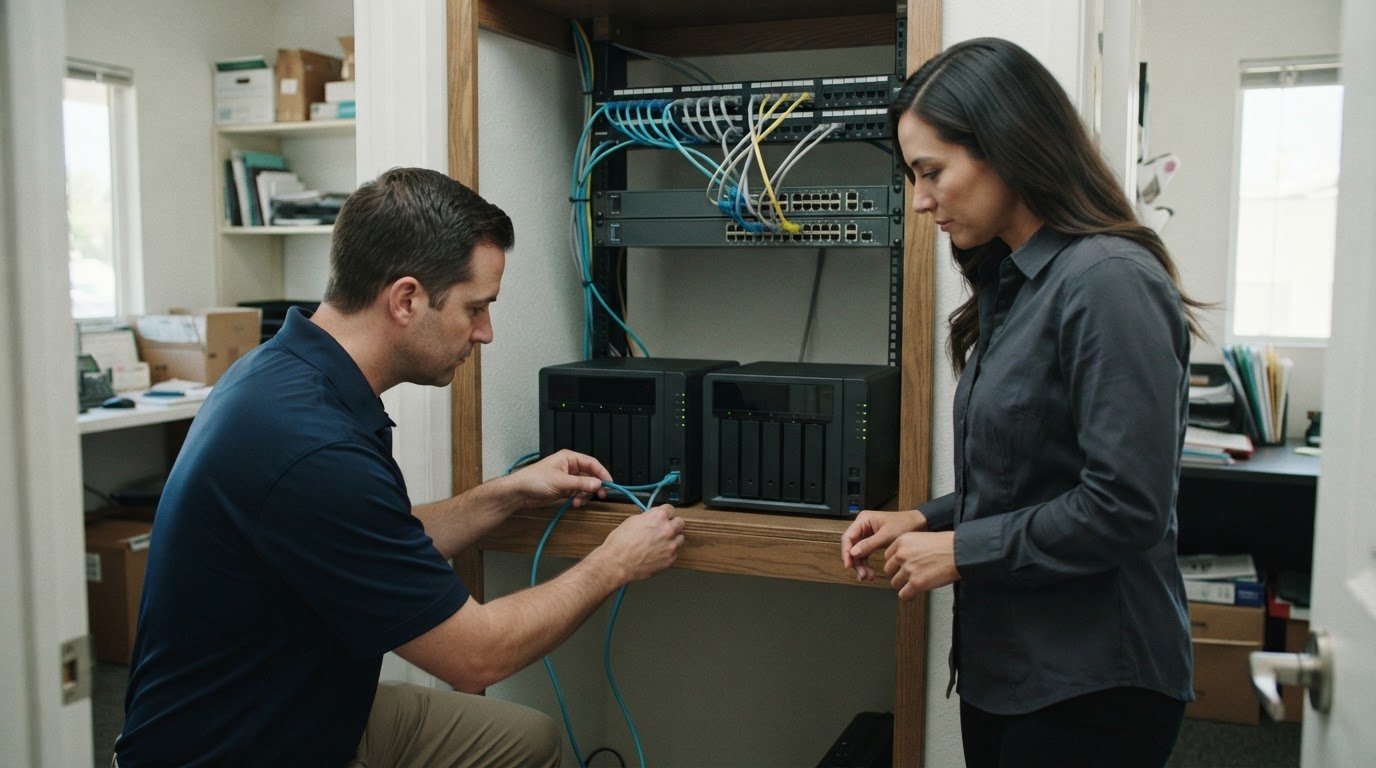
Software sprawl costs more than the line items on an invoice. Simplifying our company's IT systems can also reclaim time lost to duplicate data entry, app switching, and unclear ownership when something breaks.
You may recognize the frustration: another tool promises to solve a problem, yet the wider setup grows harder to manage. The answer isn’t simply to keep fewer apps; it’s to make applications, workflows, and data work as a coherent environment. This article explains how IT complexity builds, where hidden costs emerge, and how coordinating overlapping tools and processes can make operations clearer. It also looks at simplifying applications and data, where duplicate systems and scattered information can obscure ownership and decisions. You’ll learn what a professional review should address and when a better-aligned IT environment can better support your business.
• Map the technology stack, including security, backups, communications, cloud storage, and network equipment, to spot dependencies and unclear ownership.
• Compare tools by function. Overlapping systems can add management work and fragment support.
• Review applications and data together to find duplicate records, disconnected workflows, and unclear information ownership.
• Trinity Networx, LLC can help assess and simplify IT through Managed IT Services, Cybersecurity Solutions, Data Backup & Recovery, or Co-Managed IT.
An organization’s technology stack expands as teams add applications, devices, cloud services, and security tools. Each connection brings dependencies, approvals, and another point to troubleshoot.
IT complexity is the coordination burden created when systems, vendors, and workflows multiply. Separate tools for file sharing, communications, backups, and security may overlap or store information differently. A provider can compare cloud, on-premises, and hybrid systems by examining workload needs, data location, existing infrastructure, and daily operations. That comparison helps leaders weigh management demands alongside technical fit.
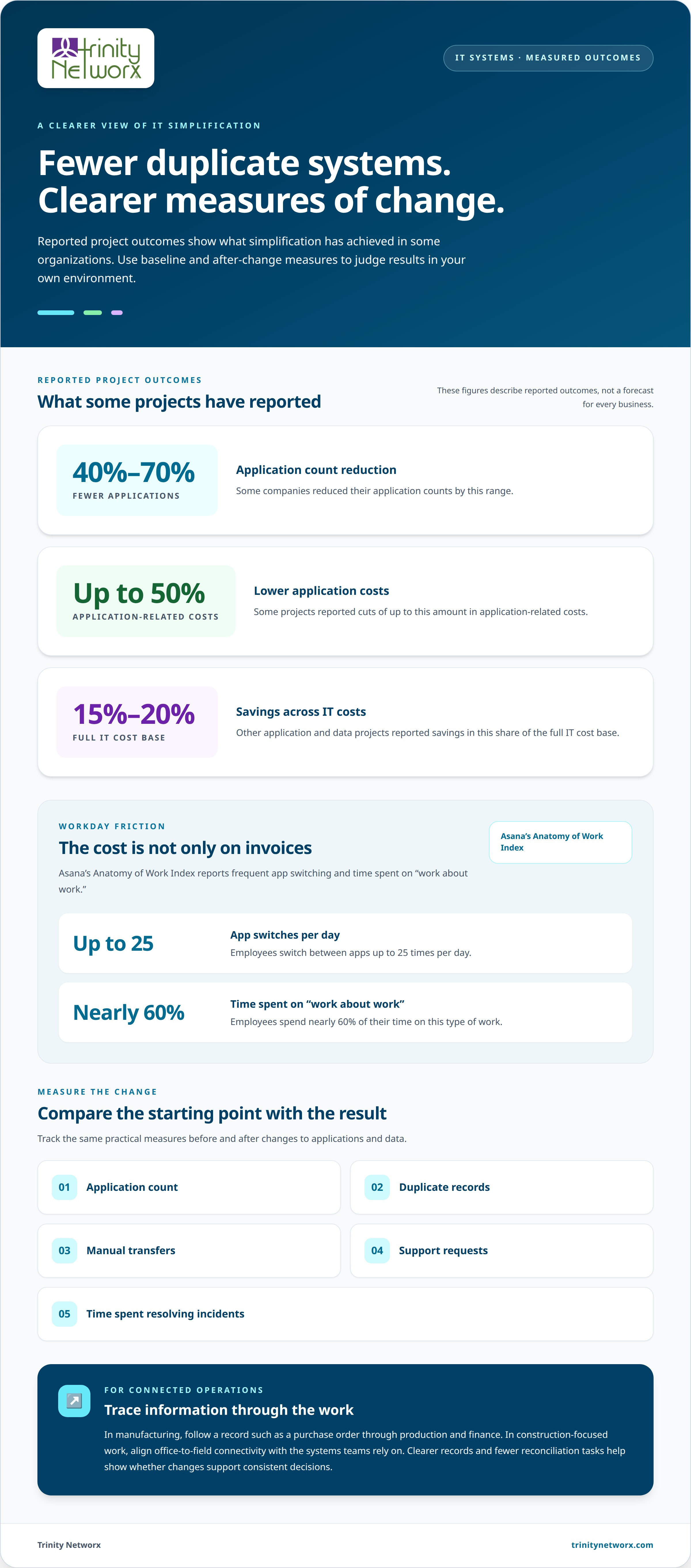
Excessive complexity appears when routine changes require several teams, system owners, or vendor handoffs. Fragmented monitoring can hide issues across platforms, while staff manually reconcile records. According to Asana’s Anatomy of Work Index, employees switch between apps up to 25 times per day and spend nearly 60% of their time on “work about work.” Unclear backup ownership and scattered security settings can also complicate compliance reviews.
Reducing complexity starts with an inventory of applications, security software, backups, cloud storage, communications, and network equipment. A professional can identify overlapping tools, clarify system ownership, and assess whether platforms work together. Consistent backup practices support recovery planning, while IT management can help coordinate systems and responsibilities. For HIPAA or CMMC-related environments, technology choices should account for applicable compliance needs. To prepare employees for changes, providers can map affected workflows, explain what is changing, and schedule training around each team’s role.
Consolidation means bringing overlapping applications and related work into a smaller, coordinated set. For example, a manufacturer might record customer orders in one system, then re-enter production details elsewhere. Each handoff creates extra work and raises the chance of mismatched information. A strategic review traces how data moves between teams before deciding which tools should remain.
Start by grouping tools by function: communication, file sharing, security, scheduling, and reporting. If two platforms both handle file storage, assess access needs, existing integrations, and where active records belong. Keep the system that best supports the workflow, then plan how staff will retrieve or transfer information from the other. Consolidation should remove duplication, not interrupt a necessary production or approval step.
Security needs the same coordination. Independently installed tools can leave gaps when they lack shared policies or oversight. Fewer, clearly assigned systems can make monitoring and policy enforcement easier to manage. Vendor coordination matters too: when a fault crosses service boundaries, clear ownership helps teams identify who handles each part. This is especially useful when production, inventory, and office workflows depend on connected services.
There is no single typical cost for IT system consolidation; a project quote follows a request and depends on the number of systems, migration work, integrations, licensing, and employee training. A professional review can map these factors alongside workflow priorities, then set a practical order for changes. Software and workflow planning can guide that assessment. For help assessing overlapping tools and handoffs, discuss your consolidation needs.
Application and data simplification reduces duplicate systems and clarifies where business information lives. For a manufacturer, conflicting inventory records can distort purchasing and production decisions.
An IT provider audits systems by documenting applications, owners, users, integrations, data, and business purpose. This inventory shows which tools duplicate functions and which support essential work.
The provider can trace a sample record, such as a purchase order, through production and finance systems. That reveals repeated entry, inconsistent definitions, and handoffs where information can be delayed or altered.
Migration moves selected applications and information while keeping essential workflows available. The provider maps dependencies, agrees on a change window, tests a representative data set, and schedules the final transfer around operational demands.
For a production database, teams can validate copied records before switching users to the new environment. A staged cutover, staff communication, and a documented rollback plan help limit disruption if testing exposes a problem.
Project measures should compare the starting environment with results after changes. Track application count, duplicate records, manual transfers, support requests, and time spent resolving incidents.
Some companies reduced application counts by 40% to 70%; some projects cut application-related costs by up to 50%. Other application and data projects saved 15% to 20% of the full IT cost base. These figures describe reported project outcomes, not a forecast for every business. For a manufacturer, clearer records and fewer reconciliation tasks can also show whether changes help teams make consistent decisions. Discuss an application and data review to identify practical measures for your environment.
Trinity Networx helps businesses assess IT complexity and clarify how systems support daily work. For manufacturers coordinating with construction crews or field teams, its construction-focused expertise can help align office-to-field connectivity with business technology.
Managed IT Services and Co-Managed IT Services support ongoing oversight or collaboration with an internal team. Cybersecurity Solutions and Data Backup & Recovery can support connected operations. Consider this support when unclear system ownership or difficult changes disrupt work across your organization.
Contact Trinity Networx, LLC to discuss your business technology.
The next step is to treat system simplification as a business decision, not a cleanup exercise. Choose changes that support production priorities, protect essential information, and give teams clear ownership of the tools they rely on. A measured plan can also help teams adapt technology changes while active work continues.
If simplifying your company's IT systems is now a priority, Trinity Networx can assess where complexity is slowing operations and help shape a practical direction. Its Managed IT Services, Cybersecurity Solutions, and Data Backup & Recovery can support that work.
Contact Trinity Networx to discuss your IT systems and take a confident next step toward clearer, more manageable operations.
The cost shows up in lost staff time, delayed decisions, and avoidable operational friction, not just technology bills. A plant coordinator who must reconcile separate production and inventory records may spend time resolving discrepancies instead of scheduling work. Unclear ownership can also prolong incident handling. These effects can build quietly, making the overall burden harder to see in any single budget line.
It means shaping technology around how the business operates while keeping specialized tools that serve a clear purpose. For a manufacturer, production software may need to remain distinct from office applications, yet still exchange reliable information. The work also includes assigning system owners, setting consistent data definitions, and documenting which process uses each application. That clarity helps teams know where to enter, find, and maintain information.
A provider first connects business goals to technology decisions, then ranks systems by operational importance, overlap, and dependencies. Next, the provider defines the intended setup, plans transitions around production demands, tests representative workflows, and retires old platforms after validation. For ongoing work with Trinity Networx, QBRs are mandatory for clients. Those reviews give teams a formal point to discuss technology priorities and service needs.
Savings can come from removing duplicate subscriptions and reducing staff effort spent maintaining separate processes. Productivity gains may appear as fewer approval delays, less time reconciling records, and quicker onboarding into consistent workflows. A business can compare these outcomes with its starting point by tracking renewal spend, time spent on manual administration, and recurring support requests. The strongest results connect IT changes to daily work.
Consolidation can expose data if access permissions, retention needs, or security settings do not carry over correctly. Moving records may also interrupt audit trails or leave backup coverage unclear. A provider should map sensitive information, review access by role, test recovery copies, and account for relevant obligations such as HIPAA or CMMC. For manufacturers with facilities across California, Nevada, Arizona, or Utah, consistent controls help teams manage systems across sites.

Article by
Lance Reichenberger, Ph.D.., J.D. (Candidate)
Dr. Lance Reichenberger is the founder of Trinity Networx, a Southern California technology firm specializing in managed IT services, cybersecurity, network infrastructure, and business technology strategy. With nearly four decades of experience in the IT industry, he works with businesses to improve operational efficiency, strengthen security, and align technology with long-term growth objectives.
Lance focuses on proactive IT management, enterprise wireless infrastructure, cybersecurity integration, and scalable technology solutions for growing organizations throughout Southern California.
The content published on this website is provided for general informational and educational purposes only. Articles may be created, edited, or enhanced with the assistance of artificial intelligence and automation tools under the direction and review of Trinity Networx. While every effort is made to ensure accuracy and relevance, the information provided should not be considered professional, legal, financial, cybersecurity, or technical advice specific to your organization. Businesses should consult directly with a qualified professional regarding their unique environment, compliance requirements, and operational needs. Trinity Networx makes no warranties regarding completeness, reliability, or applicability of the information contained within these articles.
Schedule a brief conversation with Trinity Networx to discuss your business technology needs.
Get a practical roadmap built around your business, your users, your systems, and the technology issues that need attention first.
Put the right technology, support, security, and infrastructure in place so your business can grow, adapt, and move forward with confidence.