

3281 E. Guasti Rd, STE 700, Ontario, CA 91761
1712 9th Ave SW, Watertown, SD 57201
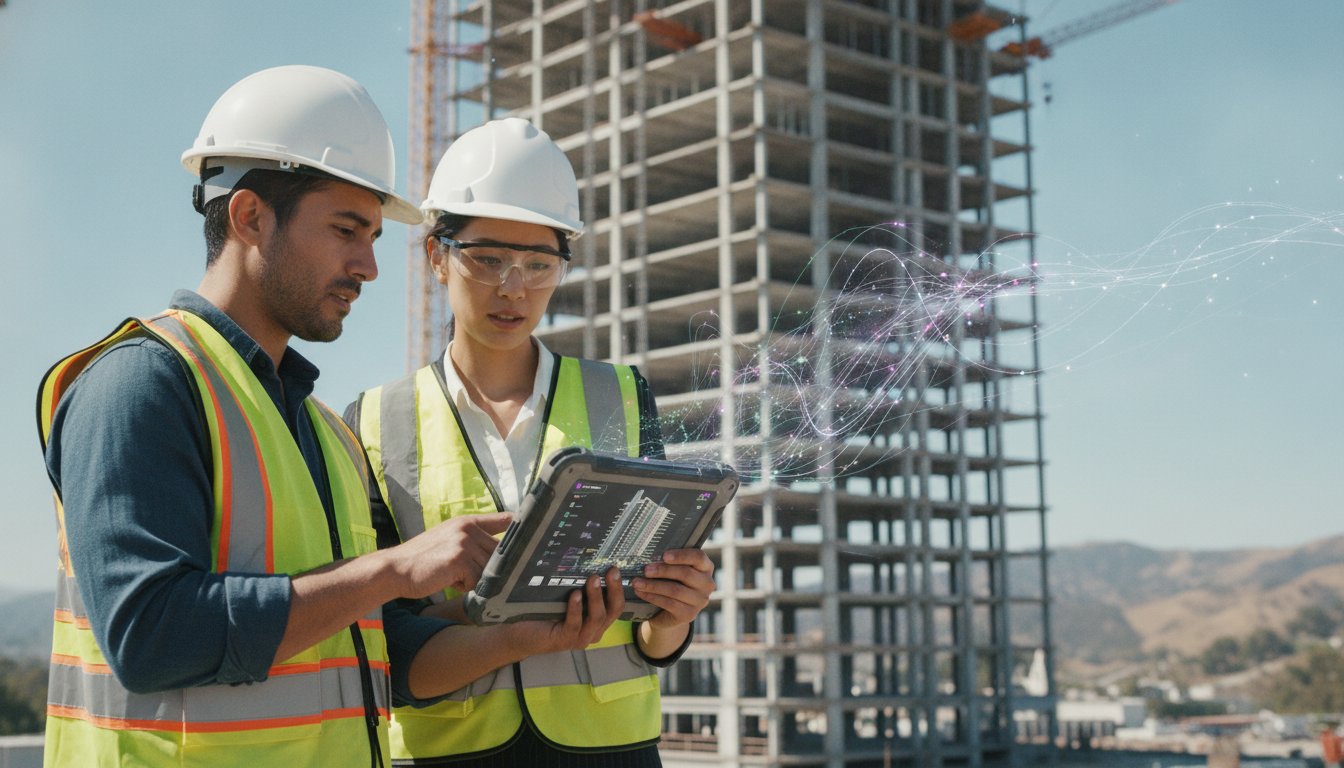
A $4,000 ruggedized laptop is just an expensive paperweight the moment it falls off a scaffold or chokes on a 500MB Revit file. Most project managers accept hardware lag and field-to-office data silos as the cost of doing business. You shouldn't. Deploying the right virtual desktop solutions for construction firms eliminates the frustration of waiting for CAD software to catch up with a remote connection. This lag wastes billable hours and delays critical site decisions. Your business health depends on movement and stability, not waiting for a loading bar.
We understand that technical efficiency is a strategic driver of progress. This guide reveals how to deploy high-performance virtual desktops that handle heavy BIM files across every jobsite without the typical hardware bottlenecks. You'll discover how to bypass the high cost of site-broken hardware while maintaining the speed your engineers demand. Reliable performance is no longer a luxury; it's a requirement for operational continuity.
With Microsoft 365 price increases hitting the industry as of July 1, 2026, choosing the right configuration is now a financial necessity. We will examine the latest performance benchmarks for Azure and Windows 365 to ensure your team stays productive. It's time to stop reacting to tech failures and start projecting professional assurance through a stable, cloud-first infrastructure.
• Stop wasting time on server maintenance by choosing between on-premises VDI and cloud-hosted DaaS models tailored for site work.
• Select virtual desktop solutions for construction firms that prioritize GPU performance for lag-free CAD and BIM file access in the field.
• Identify the specific Azure or private cloud configurations that bridge the gap between remote jobsite trailers and the main office.
• Follow a phased deployment strategy to migrate your team without causing project delays or communication blackouts during critical phases.
• Implement proactive monitoring to catch latency issues before they impact site productivity or drain your project budget.
Traditional Virtual Desktop Infrastructure (VDI) relies on a centralized server to host desktop images. Field teams access these images from any device. This model offers total control over data sovereignty. However, it requires significant internal maintenance and hardware upkeep. Desktop as a Service (DaaS) provides a cloud-hosted alternative where the provider manages the underlying infrastructure. Choosing between these virtual desktop solutions for construction firms depends on your need for control versus simplicity. For many, Desktop virtualization through DaaS is the faster path to deployment. It shifts the burden of server management away from your internal team.
Standard remote access tools often fail construction firms. Basic VPNs and RDP sessions lack the bandwidth to transmit complex 3D models without significant latency. When an engineer tries to rotate a Revit model over a standard connection, the screen stutters. This isn't just annoying; it stops work. High-performance virtual desktop solutions for construction firms solve this by processing the data in the cloud and only sending the visual pixels to the field device. This requires specialized Azure cloud services designed for high-compute workloads.
Persistent desktops act like a dedicated PC. They save every setting and software customization. This is vital for estimators who use specific third-party plugins. Non-persistent desktops reset after every session. They are more cost-effective for large field crews who only need access to viewing tools. Firms that scale staff based on project cycles often mix these models to control their monthly spend.
Graphics processing is the primary bottleneck for virtualized AutoCAD. Without dedicated GPU acceleration, 3D walkthroughs become slideshows. You need server configurations, such as Azure NV-series instances, that provide dedicated video memory to each user. This ensures high frame rates and zero lag during client presentations or site inspections. Maintaining these speeds requires specific hardware standards:
• Dedicated video memory allocated per user session
• High-speed NVMe storage for rapid file loading
• Low-latency connections to local Southern California data centers
Stop settling for hardware lag that delays your projects. Contact the team at contact us to stabilize your field operations.
Azure Virtual Desktop (AVD) is the logical starting point for firms heavily invested in Microsoft 365 and BIM 360. It uses your existing ecosystem to provide a familiar interface for field teams. However, not all virtual desktop solutions for construction firms are equal. Standard virtual machines are designed for office tasks like spreadsheets. They fail when asked to render a 150MB Revit model. You need GPU-enabled instances that provide dedicated video RAM to each user. Research into VDI for BIM environments confirms that graphics memory is the non-negotiable factor for performance. Without it, your engineers will face constant screen tearing and input lag.
Private cloud hosting serves firms that require absolute control over data sovereignty. This model keeps your data on dedicated hardware, away from public cloud multi-tenancy. Deploying specialized virtual desktop solutions for construction firms ensures that security does not come at the expense of speed. Effective IT infrastructure planning ensures your chosen path aligns with your project's specific security protocols. If your current remote connection feels like a bottleneck, it is likely a configuration error rather than a software limitation.
Always verify your specific software versions against the VDI provider's hardware list. Revit 2024 has different hardware acceleration requirements than older versions. License management is another common trap. Most modern AEC software uses named-user licensing, which requires a stable internet handshake. If your VDI environment is not configured to persist these tokens, your team will spend their mornings re-authenticating instead of drafting.
A virtual desktop is only as fast as the trailer's internet. You need a minimum of 15 Mbps per power user and latency consistently under 50ms. High latency causes a heavy cursor feel that makes precision drafting impossible. A professional commercial Wi-Fi installation in the trailer is the final link in the chain. It prevents signal interference from heavy machinery and metal siding from dropping your BIM sessions. If you are tired of the status quo, reach out to our team for a technical assessment of your jobsite connectivity.
Deploying virtual desktop solutions for construction firms requires a methodical, phase-based approach. Don't flip a switch and hope for the best. Identify a pilot group of estimators or project leads first. Verify their specific performance metrics before a full-scale rollout. This prevents the communication blackouts that stall active projects. Proactive monitoring identifies latency issues before they stop work. If a trailer connection drops, your IT partner should know before the foreman calls. Reliable performance is a strategic driver of progress, not a reactive fix.
Physical distance is the primary enemy of speed. For Southern California firms, our cloud solutions in Ontario provide the local, low-latency access required for real-time BIM coordination. This proximity ensures data moves fast. Many businesses are shifting to Cloud PC solutions to maintain operational continuity across every jobsite. You need a 24/7 helpdesk that understands construction-specific software errors. Speed matters when a project deadline is looming and Revit won't sync.
Security is a strategic priority. Multi-factor authentication is your first line of defense. Encryption protects every byte of data moving between the field and the cloud. These virtual environments prevent data loss when jobsite tablets are lost or stolen. The data never lives on the physical device; it stays secure in the cloud. This provides a sense of security and momentum for firms handling sensitive project data.
We value your time and growth. Our local Southern California staff provides a 30-40 minute server spin-up guarantee for rapid project scaling. If you win a new bid, your infrastructure is ready in under an hour. We operate on a flat-fee model that covers all virtual desktop solutions for construction firms without surprise billing. This keeps project budgets predictable and your growth steady. Stop fighting with lag and start driving progress. Contact the team at contact us to get started.
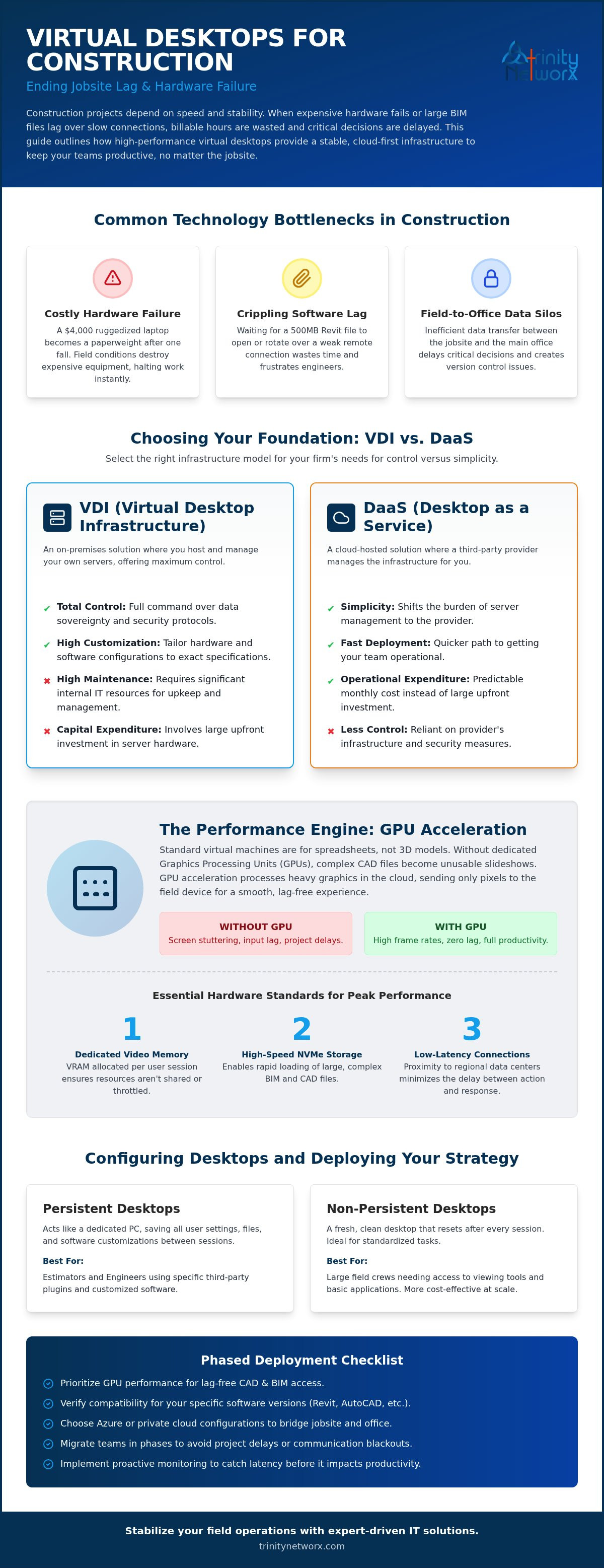
Lagging CAD files and disconnected field teams are the status quo for too many firms. You've seen how specialized virtual desktop solutions for construction firms bridge the gap between the office and the jobsite trailer. Prioritizing GPU acceleration and local low-latency connections in Southern California ensures your engineers work at full speed. Security isn't an afterthought; it's a built-in protection against hardware loss and data theft. Stability is the foundation of your business health.
Trinity Networx acts as your strategic partner. We offer a 30-minute rapid server spin-up guarantee to keep your projects moving without delay. Our 100% in-house local Southern California staff understands the specific friction of construction workflows. With our flat-fee support model, you gain professional assurance without the anxiety of surprise billing. It's time to move toward a more efficient, forward-thinking way of operating.
Eliminate jobsite IT headaches by contacting Trinity Networx today. Your team deserves a technical environment that matches their pace of work.
Yes, they can. High-performance virtual desktop solutions for construction firms use GPU-enabled server instances to process complex 3D renders in the cloud. The local device only acts as a monitor for the visual data. This setup allows field teams to rotate heavy Revit models without the stuttering associated with traditional remote access tools. You get the power of a workstation on a jobsite tablet.
Your session remains active in the data center. The virtual desktop continues to run even if your local connection fails or your tablet loses power. You simply log back in once the internet is restored and pick up exactly where you left off. This prevents data loss from site-specific power outages or signal drops in the trailer. It ensures operational continuity regardless of local conditions.
Plan for 15 Mbps per user for graphics-heavy tasks. While simple document viewing needs less, 3D BIM coordination requires higher throughput to maintain visual clarity. Keeping latency under 50ms is critical for precision drafting. Higher latency creates a heavy cursor feel that slows down your project leads. Stable commercial Wi-Fi in the trailer is the best way to maintain these speeds.
Virtual desktops are often more cost-effective when you account for hardware lifespan and replacement costs. Ruggedized laptops carry high upfront costs and frequently break in dusty, high-vibration environments. Using virtual desktop solutions for construction firms lets you run Revit on standard tablets or older hardware. You stop paying for expensive field hardware and start investing in stable, centralized performance that doesn't break when dropped.
Stop letting technical friction slow down your project cycles. Contact the team at contact us to stabilize your jobsite technology.

Article by
Lance Reichenberger, Ph.D.., J.D. (Candidate)
Dr. Lance Reichenberger is the founder of Trinity Networx, a Southern California technology firm specializing in managed IT services, cybersecurity, network infrastructure, and business technology strategy. With nearly four decades of experience in the IT industry, he works with businesses to improve operational efficiency, strengthen security, and align technology with long-term growth objectives.
Lance focuses on proactive IT management, enterprise wireless infrastructure, cybersecurity integration, and scalable technology solutions for growing organizations throughout Southern California.
The content published on this website is provided for general informational and educational purposes only. Articles may be created, edited, or enhanced with the assistance of artificial intelligence and automation tools under the direction and review of Trinity Networx. While every effort is made to ensure accuracy and relevance, the information provided should not be considered professional, legal, financial, cybersecurity, or technical advice specific to your organization. Businesses should consult directly with a qualified professional regarding their unique environment, compliance requirements, and operational needs. Trinity Networx makes no warranties regarding completeness, reliability, or applicability of the information contained within these articles.
Schedule a brief conversation with Trinity Networx to discuss your business technology needs.
Get a practical roadmap built around your business, your users, your systems, and the technology issues that need attention first.
Put the right technology, support, security, and infrastructure in place so your business can grow, adapt, and move forward with confidence.

